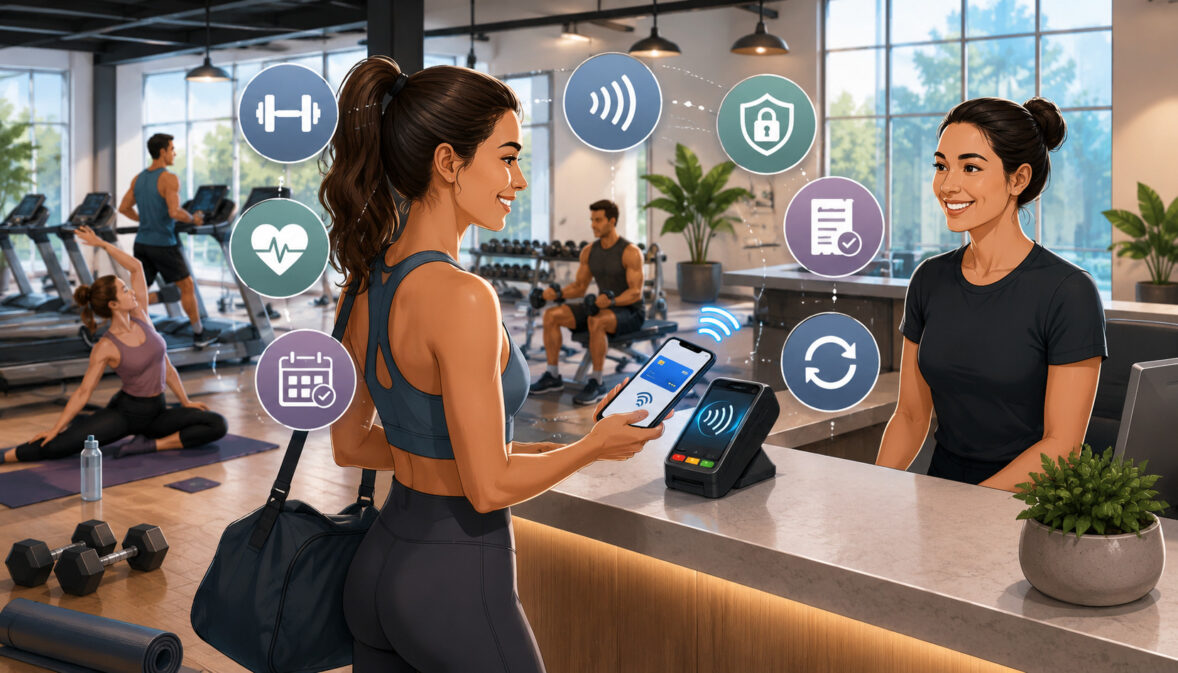
Mobile wallet payments for fitness studios are becoming an important part of how modern fitness businesses accept payments from members. People now book classes from their phones, join waitlists through apps, buy personal training packages online, and expect checkout to be as fast as signing into a class.
For fitness studio owners, gym operators, yoga studios, Pilates studios, wellness centers, and personal trainers, this shift is not only about offering another way to pay. It is about reducing payment friction at every point where a member interacts with the business.
A member may want to tap a phone at the front desk before a class, pay for a drop-in session from a booking page, purchase branded merchandise after class, renew a package from a mobile device, or update billing information without calling the studio.
Mobile wallet payments can support all of these moments when they are connected to the right payment tools, policies, and staff workflows.
Mobile wallet payments also fit naturally with contactless checkout, digital receipts, online booking, membership management, and recurring fitness payments. They can help studios serve members faster during busy class transitions, reduce front desk bottlenecks, and create a more convenient experience for people who prefer not to carry cash or physical cards.
This guide explains how mobile wallet payments work, why members like them, where they fit into fitness studio payments, and how studios can use them responsibly for memberships, drop-in classes, class packs, personal training, retail sales, and recurring billing.
What Are Mobile Wallet Payments for Fitness Studios?
Mobile wallet payments for fitness studios allow members to pay using a smartphone, smartwatch, or compatible connected device instead of presenting a physical card or cash.
The member’s payment card or account is stored inside a digital wallet, and the payment is completed through a supported terminal, mobile POS device, online checkout page, booking app, invoice, or payment link.
In a fitness environment, mobile wallet payments may be used at the front desk when a member buys a drop-in class, at a retail counter when someone purchases a water bottle or supplement, or through a studio booking platform when a member reserves a class.
They can also support mobile-friendly payment experiences for workshops, private sessions, wellness services, events, and digital fitness programs.
The most familiar examples include Apple Pay, Google Pay, Samsung Pay, NFC tap-to-pay payments, QR code payments, and online wallet checkout options. These methods are part of a broader shift toward digital payments for fitness businesses, where members expect fast, secure, and flexible ways to pay.
For studio owners, mobile wallet payments are not a separate business model. They are one part of a complete payment environment that may also include credit and debit cards, ACH payments, recurring billing, card-on-file tools, invoices, and payment links.
Mobile wallet payments work best when they are integrated into the way the studio already operates. A boutique fitness studio may use them for class packs and retail checkout. A yoga studio may use them for workshops and private sessions. A gym may use them alongside membership billing, online signup, and contactless gym payments.
How Mobile Wallet Payments Work
Mobile wallet payments work by allowing a member to use a digital version of a payment method stored on a device. Instead of handing over a card, the member authenticates the payment on the phone, watch, or device, then completes the transaction through a compatible payment system.
For in-person payments, the process often uses NFC payments. NFC stands for near field communication, which allows a device and payment terminal to exchange payment information over a very short distance. The member holds the device near the terminal, confirms the payment, and the transaction is submitted for authorization.
For online checkout, the member may select a wallet payment option during booking or checkout. The wallet may fill in payment details securely, and the member confirms the transaction using device authentication, such as a passcode, fingerprint, or face recognition.
A key part of digital wallet payments is tokenization. Instead of sending the actual card number in the same way a physical card might, the wallet payment process can use a payment token. This token represents the payment credentials without exposing the original card number during the transaction.
For fitness studios, the important takeaway is simple: mobile wallet checkout can be quick for members while also supporting secure payment handling when the studio uses compliant terminals, trusted software, and proper payment procedures.
Why Fitness Studios Are Adopting Mobile Wallets
Fitness studios are adopting mobile wallet payments because the member experience has become more mobile-first. Many members already use their phones to register for classes, check schedules, manage memberships, and receive reminders. Paying from the same device feels natural.
Speed is another major reason. Fitness studios often experience short bursts of high traffic before and after classes. A slow checkout line can frustrate members, delay class starts, and distract staff from check-ins, retail sales, and new member questions.
Mobile payments for gyms and studios can reduce these delays. A member can tap a phone, approve the payment, receive a digital receipt, and move on quickly. This is especially helpful for drop-ins, guest passes, one-time workshops, smoothie bar purchases, branded apparel, and last-minute class bookings.
Contactless payments for fitness studios also support members who prefer limited contact at checkout. While contactless convenience became more visible during periods of health concern, many members continue to prefer tap-to-pay because it is fast and easy.
Studios are also adopting mobile wallet options because they help meet modern payment expectations. A member may not remember a wallet, but they usually have a phone. When a studio supports mobile payment options for gyms, it makes the payment experience feel current, flexible, and easier to complete.
Why Mobile Wallet Payments Matter for Member Experience
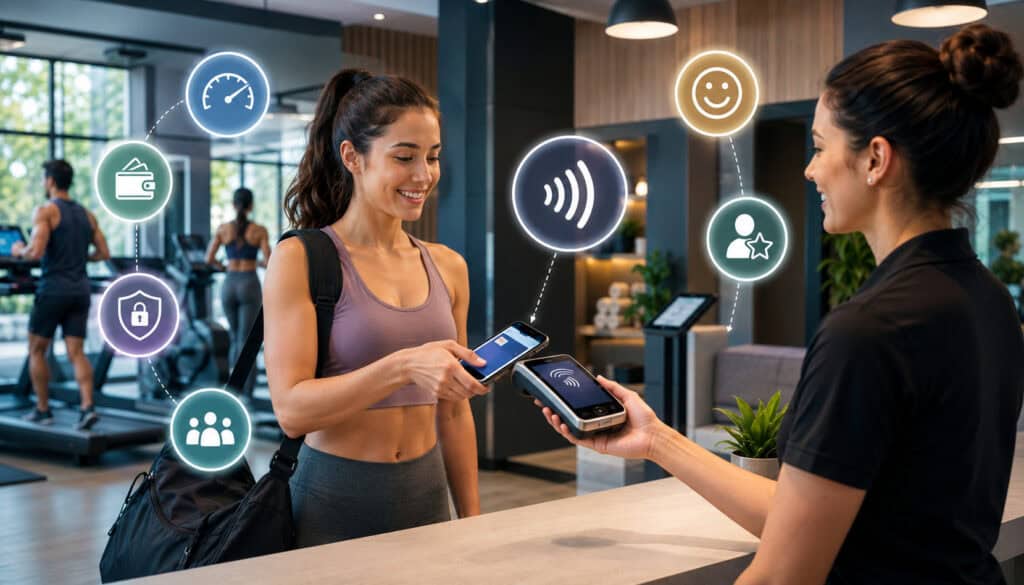
Member experience is not limited to the workout itself. It includes how easy it is to book, pay, check in, buy add-ons, update account information, and resolve billing questions. Mobile wallet payments can improve many of these moments because they make payment less disruptive.
A member who is rushing from work to a class does not want to search for cash or manually enter card details on a small screen. A guest attending a first session may not want to create a long account before paying.
A regular member buying merchandise after class may want a quick tap-and-go checkout. Mobile wallet payments make these interactions simpler.
For fitness studio payments, convenience matters because payment friction can affect behavior. If buying a class pack feels difficult, a member may postpone the purchase. If updating a payment method requires too many steps, a failed payment may remain unresolved longer. If checkout is slow before class, members may associate the studio with stress rather than ease.
Mobile wallet payments can also support self-service. When payment tools are connected to booking software or member portals, members can complete transactions without waiting for front desk help. This can be useful for studios with limited staffing, early morning classes, remote coaching, or hybrid fitness programs.
A mobile-friendly payment experience also helps make digital receipts, payment confirmations, and account records more accessible. Members can receive confirmation immediately, while staff can see transaction status in the payment system. This reduces uncertainty and supports a smoother relationship between the studio and the member.
Faster Checkout for Classes and Walk-Ins
Fitness studios often run on tight timing. One class ends, another class begins, and the front desk may need to handle check-ins, questions, retail sales, late arrivals, and new visitors all at once. Faster checkout can make a noticeable difference during these pressure points.
Mobile wallet checkout is especially helpful for drop-in classes, guest passes, workshops, pop-up sessions, and last-minute bookings. Instead of swiping, inserting, signing, or manually entering payment information, members can often complete the payment with a quick tap or online wallet confirmation.
This speed matters because members are often paying close to the start of class. If a front desk line moves slowly, people may feel rushed, staff may feel pressured, and instructors may need to delay the session. Contactless gym payments help reduce the time spent on each transaction.
Walk-ins also benefit. A first-time visitor may not know the studio’s systems yet. Offering a simple mobile wallet option allows staff to collect payment quickly and focus on explaining the class, facility, waiver process, and next steps.
A More Convenient Payment Experience
A convenient payment experience removes unnecessary steps. Mobile wallet payments reduce the need for members to carry cash, locate a physical card, or type card numbers into a mobile checkout form. For many members, this is the difference between completing a purchase now and delaying it.
This is important for app-based booking and online scheduling. If a member sees an available class, selects a time, and reaches checkout, the payment process should be easy to finish from the phone. Online wallet checkout can help reduce abandoned bookings because the member does not have to leave the flow to find card information.
Digital wallet payments also pair well with digital receipts. After payment, the member can receive confirmation by email, text, app notification, or member account history. This helps members track class purchases, packages, merchandise, and personal training payments.
For studios, convenience supports trust. When members can easily see what they paid for, when they paid, and how the transaction was processed, billing questions become easier to answer.
This is especially valuable for fitness studio billing, where memberships, class packs, freezes, cancellations, and add-ons can sometimes create confusion.
Mobile wallet payments do not solve every billing issue, but they can make everyday payment moments smoother. The easier it is for members to pay, the less time staff spend managing avoidable friction.
Common Mobile Wallet Payment Options for Fitness Studios
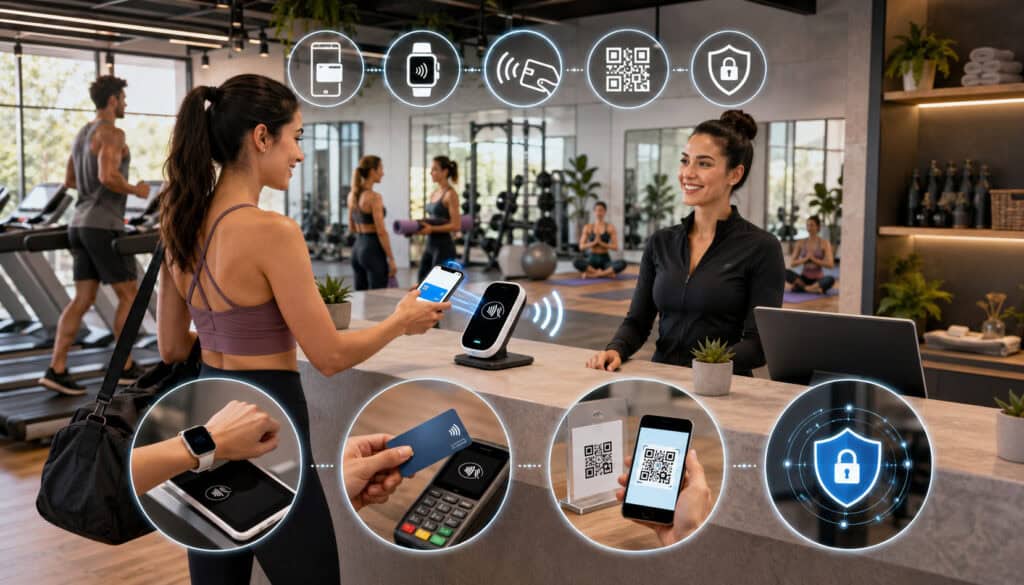
Mobile wallet payments can happen in several ways. The best option depends on whether the transaction happens in person, online, through a booking app, through an invoice, or through a remote payment link.
In-person wallet payments usually happen through a contactless-enabled payment terminal or mobile POS device. The member taps a phone, watch, or compatible device near the terminal, and the transaction is processed through the studio’s payment system.
This works well for front desk checkout, retail items, drinks, supplements, branded clothing, guest passes, and class payments.
Online wallet payments may appear in the checkout flow when a member books a class, buys a package, registers for a workshop, pays an invoice, or purchases a digital fitness program. The member selects the wallet option and confirms the payment through the device or browser.
QR code payments and payment links can also support mobile-friendly checkout. A studio may send a secure link for a private training package, display a QR code at the front desk for a workshop payment, or use a link for remote wellness services. These tools must be managed carefully so members know they are paying through a legitimate studio channel.
Mobile POS systems are useful for studios that sell beyond a fixed front desk. A trainer may accept payment at an outdoor session, a wellness center may use a tablet at a pop-up event, or a boutique studio may sell merchandise at a special class.
For background on how contactless hardware fits into studio operations, readers can review this guide to contactless payments for fitness studios.
NFC Tap-to-Pay Payments
NFC tap-to-pay is one of the most common ways fitness studios accept mobile wallet payments in person. A compatible terminal receives payment information when a member taps a phone, smartwatch, or contactless card near the device.
This type of checkout is useful because it is quick, familiar, and easy to use during busy times. Members do not need to hand over a card, and staff do not need to manually enter payment information. The payment is submitted through the terminal and processed like other approved electronic transactions.
For studios, NFC payments are especially useful for retail sales. Many fitness businesses sell bottled drinks, grip socks, mats, resistance bands, apparel, supplements, towels, and branded merchandise. These are often impulse or convenience purchases, so the checkout process should be fast.
Tap-to-pay also works well for drop-in classes, single-session payments, guest passes, and add-on services. When paired with a mobile POS or front desk terminal, it can help staff move members through checkout without slowing down check-in.
Studios should confirm that their terminals support NFC payments and that staff know how to identify when a mobile wallet transaction has been approved, declined, canceled, or timed out. A simple staff guide can prevent confusion at the front desk.
Online and App-Based Wallet Payments
Mobile wallet payments are not limited to in-person checkout. Many fitness businesses also use online and app-based wallet payments for class booking, membership signup, workshops, digital programs, and personal training packages.
Online wallet checkout can make booking easier because members often discover and reserve classes from mobile devices. A member may open the schedule, choose a class, apply an account credit or class pack, and pay for the remaining balance from the same screen. Wallet checkout keeps that flow simple.
App-based wallet payments can also help with upgrades and add-ons. A member might buy a class pack, reserve a private session, pay for a retreat, or register for a specialty workshop without visiting the front desk.
For recurring fitness payments, studios need to review how their software handles wallet-based billing. Some systems may support wallet payments only for one-time purchases.
Others may convert the payment into a saved token that can be used for future authorized billing. The difference matters because recurring billing requires clear consent, reliable account management, and proper receipts.
Mobile Wallet Payments vs Traditional Payment Methods
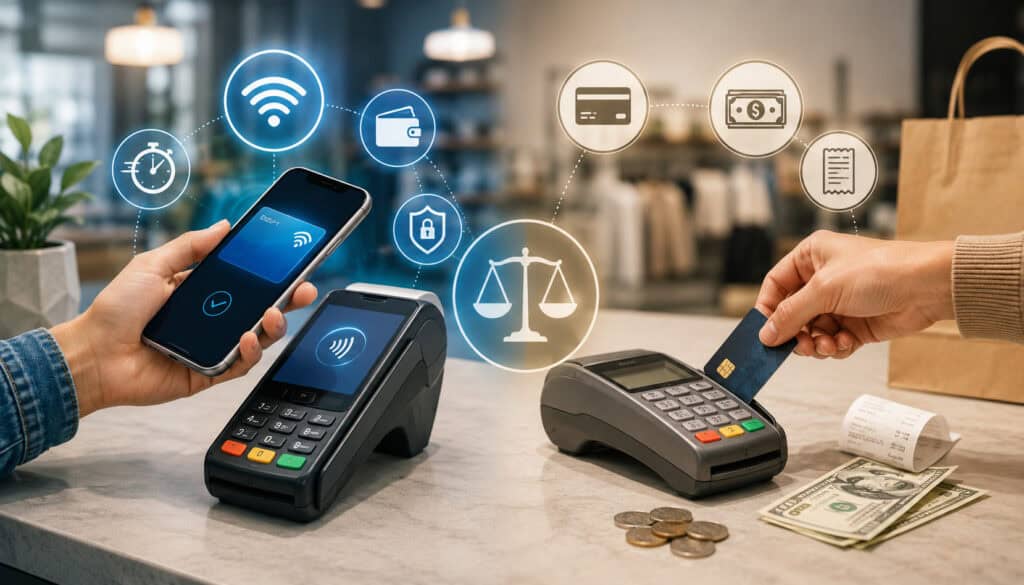
Mobile wallet payments are useful, but they do not replace every payment method. Fitness studios often need several payment options because members pay in different ways for different services.
For example, a member may use a mobile wallet for a smoothie after class, a card-on-file for a class pack, ACH for recurring monthly membership, and an invoice for a private training package. A strong payment setup gives members flexibility while keeping studio operations organized.
Traditional card payments are still widely used for memberships, purchases, and online checkout. ACH payments can work well for recurring billing when authorization and return handling are managed correctly.
Cash may still be accepted for occasional small purchases, but it can be harder to track. Manual invoices may be needed for custom services, corporate wellness programs, private sessions, or special arrangements.
Mobile wallet payments add convenience to this mix. They are especially helpful when speed, contactless checkout, and mobile-first booking matter. The goal is not to force every member into one payment type. The goal is to create payment flexibility while maintaining security, clear policies, and reliable reporting.
| Payment Method | Best For | Benefits | Things to Review |
| Mobile wallets | Fast in-person and online checkout | Convenient, contactless, mobile-friendly | Requires compatible terminals or software |
| Credit/debit cards | Most memberships and purchases | Familiar and widely used | Declines, expired cards, and processing costs |
| ACH payments | Recurring memberships | Useful for predictable billing | Authorization and return handling |
| Cash | Occasional small purchases | Simple for some members | Harder to track and less convenient |
| Payment links | Remote or follow-up payments | Useful for packages and invoices | Link security and payment confirmation |
| Manual invoices | Custom services or private training | Flexible for special cases | More administrative work |
A balanced approach works best. Studios should review how members already pay, where payment friction appears, and which tools can reduce staff workload without creating billing confusion.
When Mobile Wallets Are the Best Fit
Mobile wallets are the best fit when a transaction needs to be fast, simple, and convenient. This includes drop-in classes, guest passes, retail purchases, limited-time workshops, event registration, pop-up sessions, and mobile-first online booking.
They are also useful for members who prefer not to carry a physical card. Many people bring only a phone and keys to a class. If the studio accepts mobile wallet checkout, the member can still pay for add-ons, merchandise, or services without leaving the facility or postponing the purchase.
Mobile wallet payments can also help at high-volume times. Before a popular evening class, the front desk may need to process late bookings, guest passes, and package purchases quickly. Tap-to-pay keeps the line moving.
For boutique studios, mobile wallets can support premium member experience. The payment process feels modern and unobtrusive, which aligns with the expectations many members have for app-based booking, automated reminders, and digital receipts.
Mobile wallets are also a good fit for remote payments when paired with secure payment links or online checkout. A personal trainer can send a payment link for a package, or a wellness studio can accept payment for an online program without requiring the member to call with card details.
When Other Payment Methods Still Matter
Other payment methods still matter because not every transaction is best handled through a mobile wallet. Recurring memberships, family accounts, annual plans, corporate wellness arrangements, and larger packages may require billing features that go beyond a simple tap-to-pay transaction.
Cards and ACH payments are often used for recurring fitness payments because they can be connected to membership agreements, scheduled billing, failed payment workflows, and account updates. ACH may be useful for predictable monthly billing, while cards may be familiar and easier for many members.
Manual invoices may still be appropriate for custom services, such as private group training, special events, workshops, or wellness packages that require individualized pricing. Invoices can provide detail and flexibility, but they also require more administrative oversight.
Cash may still be accepted by some studios, but it is harder to reconcile, easier to misplace, and less convenient for digital reporting. It also does not integrate as smoothly with online booking, digital receipts, or membership management.
The best approach is payment flexibility. Mobile wallet payments should be part of a broader system that includes gym payment processing, recurring billing, secure card handling, receipts, refunds, and reporting.
Benefits of Mobile Wallet Payments for Fitness Studios
Mobile wallet payments can benefit fitness studios in several practical ways. The most obvious benefit is faster checkout, but the value extends into member satisfaction, staff efficiency, transaction tracking, contactless convenience, and payment flexibility.
For members, mobile wallets reduce friction. They can pay with a device they already use for booking, communication, navigation, and scheduling. This makes payments feel like a natural part of the studio experience rather than a separate chore.
For staff, mobile wallet payments can reduce repetitive front desk tasks. Instead of manually keying payment information or handling cash, staff can guide members through a quick checkout and focus on service, class flow, and member questions.
For owners and managers, digital wallet payments create cleaner transaction records when connected to the right payment system. Sales can be tracked by class type, location, service category, retail item, instructor, or member profile. This supports better reporting and reconciliation.
Mobile wallet payments also support contactless checkout. Members can tap a device, receive a receipt, and move through the studio with less physical exchange. This is helpful for busy studios where speed and convenience are important parts of the member experience.
When used responsibly, mobile wallet payments can make the entire payment journey easier. They help connect front desk checkout, online booking, retail sales, personal training packages, and digital receipts into a more modern workflow.
Improving Front Desk Efficiency
Front desk efficiency matters in fitness studios because staff often handle many tasks at once. They may be checking members in, answering calls, selling packages, processing retail items, helping new visitors, managing waitlists, and preparing for the next class.
Mobile wallet payments can reduce the time spent on each payment interaction. A tap-to-pay transaction is usually simpler than counting cash, entering card details manually, or waiting while a member searches for a card. This can help prevent congestion during class transitions.
Efficient checkout also helps new member onboarding. When a prospect arrives for a trial class, staff can process payment quickly and spend more time explaining the studio, answering questions, and creating a welcoming first impression.
For retail sales, speed matters because purchases often happen after class when members are leaving. If checkout feels slow, members may skip the purchase. A fast mobile wallet checkout can make small add-on purchases easier to complete.
Supporting Member Retention and Convenience
Member retention is influenced by many factors, including class quality, instructor relationships, pricing, location, community, and results. Payments are only one piece of retention, but a frustrating billing experience can damage the relationship.
Mobile wallet payments support retention by making it easier for members to continue engaging with the studio. A member who can quickly buy a class pack, renew a package, or pay for an add-on is less likely to run into unnecessary friction.
Convenient payment options can also support impulse decisions in a positive way. A member may decide after class to sign up for a workshop, buy a training package, or purchase merchandise. If payment is easy, the studio can capture that interest while it is fresh.
Digital receipts and clear payment confirmations also reduce confusion. Members are more likely to trust a studio when they can easily see what they bought, when they paid, and how they were charged.
Convenience should never replace transparency. Studios should still explain pricing, cancellation rules, recurring billing terms, refund policies, and package expiration dates clearly. Mobile wallet payments work best when they are paired with good communication.
Mobile Wallet Payments and Fitness Membership Billing
Fitness membership billing is more complex than a simple one-time sale. It may include recurring billing, class packs, session credits, freezes, upgrades, downgrades, failed payment recovery, cancellation rules, and account updates.
Mobile wallet payments can support this environment, but studios should understand how their system handles each transaction type. A wallet payment for a one-time purchase is usually straightforward.
A wallet payment connected to recurring billing may require additional features, such as saved payment tokens, member authorization, billing schedules, and account management tools.
Not every mobile wallet setup works the same way for recurring fitness payments. Some systems allow a member to make an initial wallet payment and then store a secure token for future approved charges. Others may only allow one-time wallet transactions. Studios should review this carefully before advertising mobile wallets as a full recurring billing option.
Membership payment options should also be clear to members. If a studio accepts mobile wallets for drop-ins but not for monthly memberships, that distinction should be easy to understand. If wallet-based recurring billing is supported, members should receive clear authorization language and ongoing receipts.
For more background on recurring plans and account billing, studios can review guidance on fitness membership payments to understand how payment methods, failed payments, and member account controls work together.
Mobile Wallets for One-Time Purchases
Mobile wallets are especially strong for one-time purchases. These transactions are simple, immediate, and easy for members to understand. A member chooses a product or service, taps or confirms payment, and receives a receipt.
Common one-time purchases include drop-in classes, guest passes, branded merchandise, drinks, grip socks, yoga mats, workshops, events, private session deposits, and wellness services. These are often high-convenience transactions where speed matters.
For studios, one-time wallet payments can help reduce cash handling and manual entry. This makes reconciliation easier and creates a digital record for each sale. When transactions are connected to the member profile or POS category, reporting becomes more useful.
One-time wallet payments can also support new customer experiences. A first-time visitor may not be ready to enroll in a membership but may be comfortable paying for a single class through a mobile wallet. That easy first transaction can help remove barriers.
Studios should still provide receipts and clear policies. If a workshop payment is nonrefundable, or a drop-in pass has restrictions, those terms should be visible before payment.
Mobile Wallets for Recurring Fitness Payments
Recurring fitness payments require more care than one-time purchases. A recurring charge depends on authorization, billing frequency, payment method storage, receipts, cancellation procedures, and failed payment handling.
Some payment systems may support wallet-based recurring billing through secure tokens. In that case, the member may authorize a payment method during signup, and the system may use a token for future approved charges. This can reduce exposure of sensitive card data while supporting ongoing billing.
However, studios should not assume every mobile wallet payment can automatically become a recurring payment. The software, payment processor, and wallet rules all matter. Before relying on wallet payments for memberships, studios should confirm exactly how the billing system works.
Clear authorization is essential. Members should understand the amount, billing frequency, start date, renewal terms, cancellation process, and receipt delivery method. This helps reduce disputes and billing confusion.
Studios should also make it easy for members to update payment methods. Failed payments can happen when cards expire, accounts change, or authorizations fail. A member portal, secure update link, or staff-assisted process can help resolve issues quickly.
Payment Security for Digital Wallet Payments
Payment security is one of the most important parts of accepting digital wallet payments. Mobile wallet payments can support secure transactions when implemented properly, but studios still need responsible payment handling, secure systems, staff training, and compliance awareness.
Digital wallets often use security features such as device authentication, encrypted communication, and tokenization. A member may need to unlock a device or approve the transaction before payment is submitted. This can help reduce some risks associated with lost cards or manual payment entry.
However, security is not automatic. Fitness studios must still use secure terminals, trusted payment software, updated systems, and proper staff procedures. They should avoid storing card numbers, security codes, or sensitive payment data in spreadsheets, notes, email, text messages, or paper files.
PCI compliance also matters. The PCI Security Standards Council explains that PCI Data Security Standards set technical and operational requirements for organizations that accept or process payment transactions. Studios that accept card-based payments should understand their responsibilities and use secure systems that support compliance.
Mobile wallet users also have responsibilities. The FCC notes that mobile wallet services are used for online and in-person purchases and recommends safeguards such as protecting devices and avoiding unsecured networks. Fitness studios can support safe behavior by using legitimate checkout channels, secure payment links, and clear receipt practices.
Tokenization and Payment Data Protection
Tokenization helps protect payment data by replacing sensitive card details with a token that can be used during payment processing. For fitness business owners, the practical idea is that the actual card number is not exposed in the same way it might be if someone wrote it down or entered it manually into an insecure system.
In a mobile wallet transaction, tokenization can help reduce the amount of sensitive data shared during payment. The wallet, device, payment terminal, and processor work together to complete the transaction without the studio directly handling raw card details.
This does not mean a studio can ignore security. Staff should still use approved payment systems, protect login credentials, restrict access to payment dashboards, and follow refund procedures carefully.
Tokenization is especially important when payments are connected to recurring billing or saved payment methods. If a system stores a secure token instead of card data, it may reduce risk while allowing authorized future charges.
PCI Compliance and Secure Payment Handling
PCI compliance is a shared responsibility between the studio, payment processor, software provider, and any systems that store, process, or transmit cardholder data. Even if a studio uses a third-party payment platform, it should still follow secure payment handling practices.
The PCI Security Standards Council provides merchant resources and payment data security guidance for businesses that accept payment cards. Studios should use these resources to understand their role in protecting cardholder data.
Secure payment handling includes using approved terminals, keeping payment software updated, limiting staff access, using strong passwords, avoiding shared logins, and never storing sensitive card data manually. Staff should also know how to handle refunds, voids, declined payments, and disputes.
Fitness studios should also review how payment links are created and shared. Links should come from the studio’s approved payment system, not from personal accounts or unverified tools. Members should know how to recognize official studio payment messages.
For mobile payments, security also includes front desk awareness. Staff should confirm successful authorization before allowing access to a paid class or service. They should also avoid exposing member payment information on screens where others can see it.
How Mobile Wallet Payments Support Fitness Studio Operations
Mobile wallet payments can support daily studio operations by connecting payment acceptance with check-in, class booking, reporting, retail sales, membership billing, and reconciliation. The real value appears when payments are not isolated from the rest of the business.
For example, when a member pays for a class through an integrated booking system, the payment can automatically update the reservation, receipt, member profile, and sales report. This reduces manual work and gives staff better visibility.
At the front desk, mobile wallet payments can help staff move quickly through class check-ins, add-on sales, guest passes, and retail transactions. This is especially helpful for studios with back-to-back classes or limited staffing.
For managers, digital payments can create better transaction tracking. A studio can review which classes generate the most drop-in revenue, which retail items sell after specific class types, how many members use payment links, or which services lead to repeat purchases.
Mobile wallet payments can also support multi-location operations. When payments are processed through a centralized system, owners can compare sales by location, instructor, service category, or time period. This helps with staffing, inventory, marketing, and financial planning.
The operational benefit depends on integration. A standalone payment terminal may accept wallet payments, but it may not automatically update class booking or membership records. An integrated system can reduce duplicate entry and make reporting more accurate.
Better Reporting and Transaction Tracking
Digital wallet payments can improve reporting when they are connected to the right payment and management systems. Each transaction can include details such as date, amount, payment method, product or service category, staff user, location, and member account.
This helps studios understand revenue more clearly. A manager can see whether income came from memberships, class packs, private sessions, workshops, merchandise, or drop-ins. That information supports better decisions about scheduling, pricing, promotions, and inventory.
Transaction tracking also helps with reconciliation. When payments are digital, staff can compare batch reports, POS sales, booking records, and bank deposits more easily than with cash or manual invoices.
Reporting is also useful for refunds and disputes. If a member questions a charge, the studio can review transaction records, receipts, authorization details, and related booking activity. This makes it easier to respond professionally.
Studios should review reports regularly instead of waiting until a problem appears. Weekly or monthly payment reviews can reveal failed payments, unusual refund patterns, checkout errors, or missing transaction categories.
Reducing Manual Payment Work
Manual payment work can create errors and take time away from member service. Examples include entering card details by hand, writing down payment information, sending repeated payment reminders, matching invoices to bank deposits, and updating member records manually.
Mobile payments, digital receipts, payment links, and integrated billing tools can reduce this workload. When a member pays through an approved system, the transaction can automatically create a record and reduce the need for staff follow-up.
Secure payment links are especially useful for remote payments. A trainer can send a link for a package, a studio can collect payment for a workshop, or a wellness center can follow up on an unpaid invoice without taking card details over the phone.
Automated receipts also reduce questions. Members can see confirmation immediately, and staff can reference the same record if there is a billing issue.
For recurring billing, automation can help with retries, payment method updates, and notifications. Studios should still monitor failed payments and disputes, but the right tools can reduce repetitive work. A guide to recurring gym billing can help studios understand how automation fits into membership revenue workflows.
Mobile Wallet Payments Checklist for Fitness Studios
Before enabling mobile wallet payments, fitness studios should review their technology, policies, staff training, and reporting processes. Accepting mobile wallet payments is not only a matter of turning on a feature. It requires making sure the payment experience works smoothly for members and staff.
A studio should first confirm that its in-person terminals support NFC and contactless payments. If the terminal is outdated, members may not be able to tap phones, watches, or contactless cards. Next, the studio should review online booking software to see whether wallet checkout is supported on mobile devices.
Recurring billing needs special review. If the studio wants to use wallets for memberships, it must confirm whether the payment system supports saved wallet tokens or authorized recurring charges. This is not always available in every setup.
Security and compliance should be part of the checklist from the beginning. The studio should understand PCI responsibilities, staff access controls, refund permissions, and how payment data is protected. The FTC also advises consumers to be cautious with mobile payment apps and scams, which reinforces the need for businesses to use official, secure payment channels.
| Setup Area | What to Review | Why It Matters |
| Payment terminals | NFC and contactless support | Enables in-person wallet payments |
| Booking software | Online wallet checkout support | Improves mobile booking experience |
| Recurring billing | Wallet token or saved payment support | Helps with membership payments |
| Security | PCI compliance and tokenization | Protects member payment data |
| Receipts | Digital receipt delivery | Improves transparency |
| Reporting | Transaction and sales reports | Supports reconciliation |
| Staff training | Checkout and refund procedures | Reduces front desk errors |
| Policies | Refunds, cancellations, and disputes | Prevents billing confusion |
| Member communication | Payment option visibility | Helps members know what is accepted |
Questions to Ask Before Enabling Mobile Wallet Payments
Studios should ask practical questions before enabling mobile wallet payments. The first question is whether the current terminals and software actually support digital wallet payments in the ways members will use them.
For in-person checkout, ask whether the terminal supports NFC, tap-to-pay, mobile wallet checkout, refunds, partial refunds, tips if relevant, and digital receipts. Staff should know how to identify approved, declined, canceled, or incomplete transactions.
For online checkout, ask whether the booking system supports wallet payments on mobile devices. Test the checkout flow on different phones and browsers. Make sure members can complete payment without confusing steps.
For recurring billing, ask whether wallet payments can be stored as secure tokens for future authorized billing. Also ask how members can update payment methods, cancel billing, receive receipts, and review payment history.
Studios should also ask about fees, chargeback tools, refund timing, reporting, integrations, customer support, settlement reports, user permissions, and PCI compliance support. These questions can prevent problems after launch.
Documentation Fitness Studios Should Maintain
Good documentation helps fitness studios avoid billing confusion and respond more effectively when questions arise. Payment procedures should not live only in a manager’s memory or informal staff habits.
Studios should maintain written payment procedures, refund policies, cancellation terms, membership authorizations, package expiration rules, dispute records, staff training notes, software settings, and processor agreements. These documents support consistency.
For recurring billing, documentation is especially important. The studio should keep clear records showing what the member agreed to, when billing begins, how often charges occur, how cancellation works, and how receipts are delivered.
Staff training documentation also matters. Front desk employees should know how to accept wallet payments, process refunds, avoid manual card storage, and escalate billing issues.
Organized records can also help with chargebacks. If a member disputes a payment, the studio may need receipts, attendance records, signed agreements, cancellation logs, and communication history. Good documentation makes the response more professional and accurate.
Best Practices for Accepting Mobile Wallet Payments
Mobile wallet payments work best when they are part of a clear, secure, and member-friendly payment process. Studios should focus on making checkout simple while maintaining strong payment controls.
Start with contactless-enabled payment terminals. Members cannot use tap-to-pay if the hardware does not support it. Make sure the terminal is updated, placed in a convenient location, and connected to the correct payment account.
Next, make mobile wallet options visible. A small sign at the front desk, a note on the booking page, or a checkout prompt can help members know what is accepted. If members do not know they can use mobile wallet payments, they may default to slower methods.
Support mobile-friendly online booking. Many members interact with studios from phones, so checkout pages should be easy to navigate on small screens. Payment steps should be short, secure, and clear.
Studios should also train staff, provide digital receipts, protect member payment data, monitor failed payments, review reports regularly, and test checkout flows. These practices help prevent small issues from becoming member complaints.
Helpful best practices include:
- Use contactless-enabled payment terminals.
- Make mobile wallet options visible at checkout.
- Support mobile-friendly online booking.
- Train staff on wallet payment acceptance.
- Provide digital receipts.
- Keep refund and cancellation policies clear.
- Confirm recurring billing capabilities.
- Protect member payment data.
- Monitor failed payments and disputes.
- Review transaction reports regularly.
- Use secure payment links for remote payments.
- Test checkout on mobile devices.
- Keep payment software updated.
- Avoid storing sensitive card data manually.
Creating a Smooth Checkout Flow
A smooth checkout flow reduces hesitation. Members should understand where to pay, what amount they are paying, which method they can use, and how they will receive confirmation.
For front desk checkout, place the payment terminal where members can tap easily. The screen should face the member when confirmation is needed, and staff should avoid handling the member’s device unless absolutely necessary.
For online checkout, reduce unnecessary steps. Members should not have to re-enter information repeatedly or search for payment instructions. The checkout page should show the service, price, taxes or fees if applicable, cancellation rules, and receipt delivery method.
Payment links should also be clear. The message should identify what the member is paying for and should come from an official studio channel. Avoid sending unclear links that could look suspicious.
Digital receipts should be automatic when possible. A receipt helps members feel confident that the payment was completed and gives staff a reference if questions arise later.
Training Staff and Educating Members
Staff training is essential because even the best payment tools can create confusion if employees do not know how to use them. Front desk staff should understand how mobile wallet payments work, how to process them, and how to troubleshoot common problems.
Staff should know what to do when a payment fails, when a member taps too early, when a transaction times out, or when a member says they were charged but the system does not show approval. A clear escalation process prevents rushed decisions.
Refund training is also important. Staff should know who is allowed to issue refunds, how refunds are documented, and how long refunds may take to appear. This helps prevent inconsistent answers.
Members may also need education. Studios can mention accepted payment options during signup, on the booking page, at the front desk, and in member FAQs. This is especially helpful if the studio accepts wallet payments for one-time purchases but uses another method for recurring memberships.
Clear communication prevents frustration. Members should understand payment options before they reach checkout.
Common Mistakes to Avoid With Mobile Payments for Gyms
Mobile payments for gyms and studios can improve convenience, but mistakes can create billing confusion, poor reporting, security risks, or member frustration. Many of these mistakes are avoidable with planning and regular review.
One common mistake is using outdated payment equipment. Older terminals may not support NFC payments, mobile wallet checkout, or modern security updates. If members try to tap and the terminal does not work, the experience can feel unreliable.
Another mistake is assuming mobile wallets work the same way in every payment system. A studio may accept wallet payments for one-time checkout but not for recurring billing. If staff promise wallet-based memberships without confirming system capabilities, billing issues can follow.
Poor staff training is another risk. If employees do not know how to handle failed attempts, refunds, payment confirmations, or disputes, members may receive inconsistent answers.
Studios also make mistakes when they ignore reporting. Digital payments create useful data, but only if managers review it. Failed payments, refund trends, chargebacks, and checkout errors should be monitored.
Finally, studios should not overlook mobile booking. Accepting tap-to-pay at the front desk is helpful, but many members want to book and pay from their phones before arriving. A complete mobile-friendly payment experience includes online checkout too.
Using Outdated Payment Equipment
Outdated payment equipment can limit the studio’s ability to accept mobile wallet payments. If a terminal does not support contactless technology, members may not be able to tap phones, watches, or contactless cards.
Older devices may also create slower checkout, weaker reporting, or compatibility problems with modern payment software. This can affect both staff efficiency and member trust.
Studios should review hardware before promoting mobile wallet payments. Ask whether the terminal supports NFC, chip cards, contactless cards, digital wallets, refunds, receipts, and current security requirements.
Payment equipment should also be updated regularly. Software updates can improve performance, security, and compatibility. Staff should know when a terminal is offline, needs an update, or is not syncing properly.
Replacing outdated equipment may feel like a small operational detail, but it directly affects the member payment experience. A reliable terminal helps the studio deliver the convenience it promises.
Not Testing the Member Payment Experience
Studios sometimes test payments only from the staff side. They check whether the terminal turns on or whether the booking page accepts payments, but they do not fully experience the process as a member.
Testing from the member perspective is important. A studio should book a class from a phone, pay with a mobile wallet, receive a receipt, check the member account, request a refund, and confirm how the transaction appears in reports.
This testing can reveal issues such as confusing checkout prompts, missing receipts, poor mobile formatting, unclear package rules, or payment options that appear on desktop but not mobile.
Studios should also test front desk checkout during busy times. Is the terminal easy to reach? Can members see the amount? Do staff know when the transaction is approved? Is the receipt sent correctly?
A smooth member experience is built through testing. Payment systems should be reviewed regularly, especially after software updates, pricing changes, new packages, or new locations.
How to Choose Mobile Wallet Payment Tools for Fitness Studios
Choosing mobile wallet payment tools for fitness studios requires more than checking whether a system accepts digital wallets. Studios should evaluate the full payment environment, including in-person checkout, online booking, recurring billing, reporting, refunds, security, integrations, and support.
Ease of use should be a top priority. Staff should be able to process payments quickly, and members should be able to complete checkout without confusion. A payment tool that is technically powerful but difficult to use may create more work than it saves.
Contactless support is essential for in-person wallet payments. The system should support NFC tap-to-pay and compatible digital wallet payments. For studios that sell outside a front desk, mobile POS options may also be useful.
Recurring billing capabilities should be reviewed carefully. If memberships are a major revenue source, the studio needs reliable recurring payment tools, failed payment notifications, member payment updates, receipts, and cancellation controls.
Reporting and integrations are also important. Payment data should connect with booking software, membership management, accounting workflows, and sales reports when possible. This reduces duplicate entry and improves visibility.
Security should never be treated as optional. Look for tokenization, PCI compliance support, access controls, user permissions, secure payment links, and clear refund tools. For a broader overview of payment tool selection, this guide to payment processing for fitness studios can help studios compare important features.
Features to Look for in a Payment Solution
A strong payment solution should support both member convenience and studio control. Mobile wallet acceptance is important, but it should be one feature within a larger payment system.
Look for NFC support, mobile wallet acceptance, mobile POS options, online checkout, payment links, digital receipts, refund tools, reporting dashboards, chargeback support, membership billing, member portal options, and security controls.
For membership-based businesses, recurring billing features are especially important. The system should allow studios to manage billing schedules, failed payments, saved payment methods, receipts, cancellations, freezes, and package changes.
For studios with retail sales, POS features matter. The system should track product categories, inventory if needed, sales by staff or location, and receipt details. This helps owners understand retail performance.
For security, ask about tokenization, PCI compliance support, user permissions, password controls, audit logs, and data access. Staff should only have access to the tools they need for their role.
Customer support also matters. Payment issues can directly affect revenue and member trust, so studios should know how to get help when transactions fail, deposits are delayed, or reports do not match.
Matching Payment Tools to Studio Size and Services
Different fitness businesses need different payment tools. A solo personal trainer may need secure payment links, mobile wallet checkout, digital invoices, and simple package tracking. A small yoga studio may need class booking, drop-in payments, class packs, and workshop registration.
A boutique fitness studio may need stronger integration between scheduling, memberships, retail sales, and mobile checkout. Fast check-in and accurate class credit tracking may matter more than complex enterprise tools.
A multi-location gym may need centralized reporting, location-based permissions, recurring billing, access control integration, chargeback management, and standardized refund policies. Payment tools must scale without creating inconsistent member experiences across locations.
A wellness center may need flexible billing for services such as massage, recovery sessions, nutrition coaching, private classes, and retail items. In that environment, invoices, packages, and mobile POS tools may be as important as memberships.
The best payment setup matches the way the business actually sells. Studios should map each revenue stream first: memberships, drop-ins, packages, private sessions, events, merchandise, digital programs, and corporate services. Then they can choose tools that support those workflows clearly.
FAQs
What are mobile wallet payments for fitness studios?
Mobile wallet payments for fitness studios allow members to pay using a smartphone, smartwatch, or compatible device linked to a digital wallet. Instead of presenting cash or a physical card, the member can tap a device at a contactless terminal or choose a wallet option during online checkout.
These payments can be used for drop-in classes, guest passes, retail purchases, workshops, personal training packages, online bookings, and sometimes recurring billing, depending on the studio’s payment system.
Why should fitness studios accept mobile wallet payments?
Fitness studios should consider mobile wallet payments because they can make checkout faster and more convenient for members. Many members already use phones to book classes, manage schedules, and receive studio updates, so mobile wallet checkout fits naturally into that behavior.
For studios, mobile wallet payments can reduce front desk delays, support contactless checkout, improve digital receipts, and create better transaction records. They are especially useful during busy class transitions and for quick purchases.
Are mobile wallet payments secure for gym members?
Mobile wallet payments can be secure when processed through compliant terminals, trusted payment software, and proper studio procedures. Many wallet transactions use device authentication and tokenization, which can reduce exposure of sensitive card details.
However, studios still need to follow payment security best practices. They should avoid manual card storage, limit staff access, use secure payment links, keep systems updated, and understand PCI compliance responsibilities.
Can mobile wallet payments be used for recurring fitness memberships?
Sometimes. Some payment systems may support wallet-based recurring billing through saved payment tokens or authorized future payments. Other systems may only support mobile wallets for one-time purchases.
Studios should confirm recurring billing capabilities before offering mobile wallet payments for memberships. Clear authorization, receipts, cancellation terms, and member account controls are essential for recurring fitness payments.
What equipment is needed to accept mobile wallet payments?
For in-person payments, studios usually need a contactless-enabled payment terminal or mobile POS device that supports NFC tap-to-pay. The terminal must be connected to a payment processor or payment system that accepts digital wallet payments.
For online payments, studios need booking software, checkout pages, invoices, or payment links that support wallet checkout. The exact setup depends on how the studio sells memberships, classes, packages, and services.
How do mobile wallet payments improve checkout speed?
Mobile wallet payments improve checkout speed by reducing the number of steps needed to pay. A member can often tap a phone or watch, approve the payment, and receive a digital receipt quickly.
This is helpful before and after classes, when front desk traffic is high. Faster checkout can reduce lines, help staff stay focused, and make the member experience smoother.
What is the difference between mobile wallets and contactless card payments?
Mobile wallets use a smartphone, smartwatch, or device to complete payment through a stored digital payment method. Contactless card payments use a physical card with tap-to-pay capability.
Both may use NFC technology at the terminal, and both can support fast contactless checkout. The main difference is whether the payment credential is stored on a device or presented through a physical contactless card.
How can studios reduce disputes with digital wallet payments?
Studios can reduce disputes by using clear pricing, visible cancellation policies, detailed receipts, proper membership authorizations, and accurate transaction records. Members should understand what they are paying for before the payment is completed.
Studios should also keep records of bookings, attendance, refunds, cancellations, package terms, and member communications. Good documentation helps resolve billing questions and supports professional dispute responses.
Conclusion
Mobile wallet payments for fitness studios can help modern fitness businesses create a faster, more convenient, and more secure payment experience. Members increasingly expect mobile-friendly checkout for classes, memberships, packages, workshops, merchandise, and wellness services.
For studios, mobile wallet payments can reduce front desk friction, support contactless checkout, improve digital receipts, simplify one-time purchases, and make payment workflows easier to track. They can also support better member satisfaction when paired with clear billing policies and reliable software.
The strongest approach is not to rely on mobile wallets alone. Fitness studios should combine mobile wallet payments with cards, ACH, recurring billing tools, payment links, invoices, reporting, and secure account management. This gives members flexibility while helping the business stay organized.
To use mobile wallet payments responsibly, studios should confirm terminal compatibility, test online checkout, review recurring billing features, train staff, protect payment data, follow PCI compliance practices, maintain clear documentation, and review transaction reports regularly.
When implemented thoughtfully, mobile wallet payments can make fitness studio payments easier for members and more efficient for the business. They support the kind of fast, mobile-friendly, and trustworthy payment experience that today’s fitness members increasingly expect.