By alphacardprocess January 30, 2026
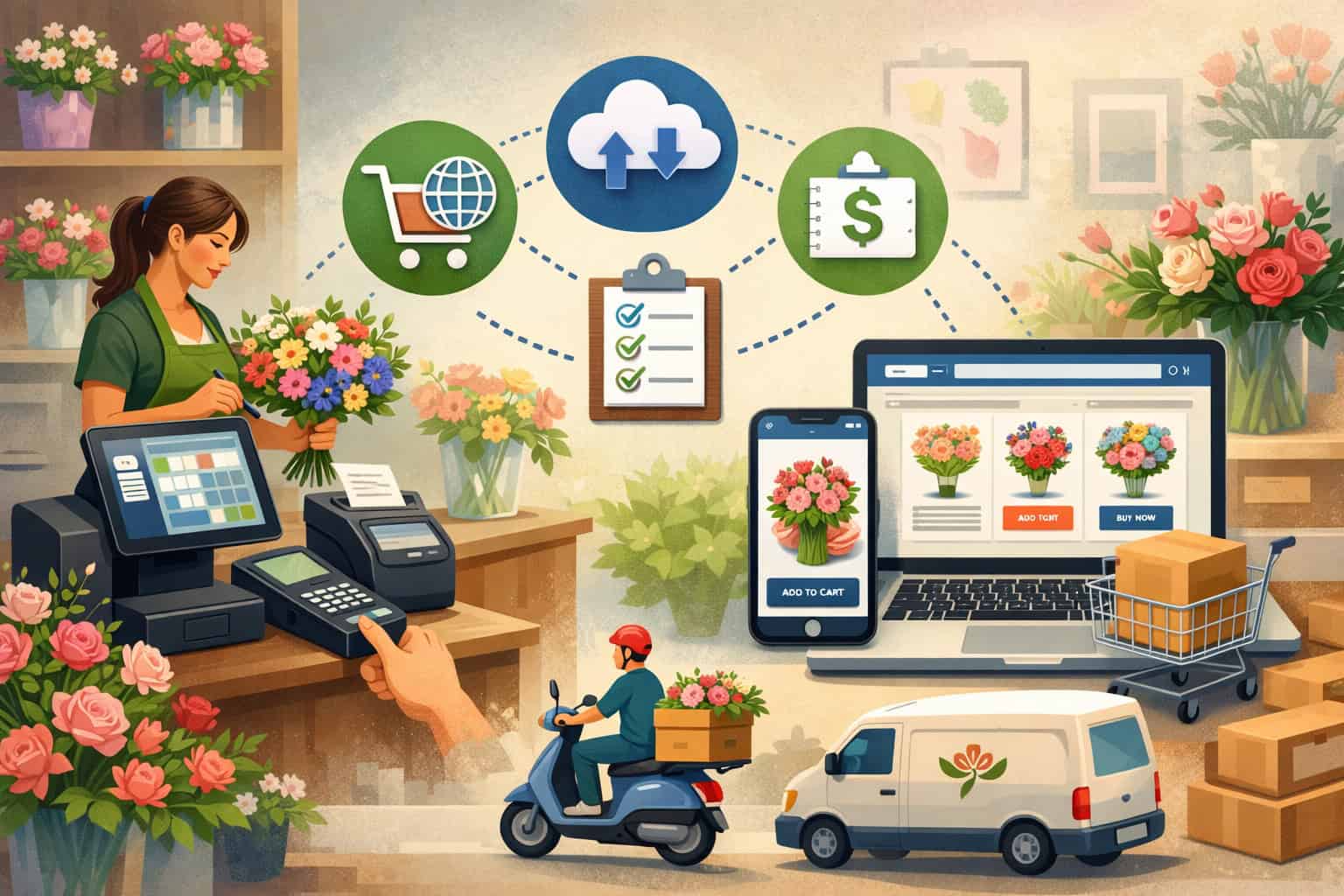
Running a modern flower business is no longer just about arranging bouquets and greeting walk-in customers. Today’s florists also manage website orders, social media inquiries, phone orders, wedding proposals, corporate accounts, same-day delivery windows, curbside pickup, and seasonal rushes that can feel like a tidal wave.
The only way to keep that complexity profitable is POS integration—a setup where your point-of-sale, ecommerce store, inventory, delivery tools, customer database, and accounting share consistent data in real time (or near real time) so you don’t have to re-enter everything twice.
For floral retailers, POS integration matters even more than in many other categories because your “products” are often partially standardized and partially custom. A single order might include a vase arrangement with substitutions, a card message, add-ons like chocolates, delivery instructions, and a specific time window.
Without strong POS integration, mistakes appear quickly: stockouts, missed delivery notes, wrong taxes, inconsistent pricing, refunds that don’t reconcile, and customers who receive the wrong arrangement during peak demand.
This guide is built for owners, managers, and operators who sell flowers online and in-store and want a system that stays accurate during normal weeks and also during holiday spikes.
You’ll learn how POS integration should work for floral sales, how to structure your catalog and inventory, how to connect delivery and pickup workflows, what to automate, how to avoid common integration failures, and where the industry is heading next.
The goal is simple: fewer errors, faster fulfillment, better reporting, and happier customers—without making your team fight the software every day.
Omnichannel Floral Operations: Designing a Workflow That POS Integration Can Actually Support
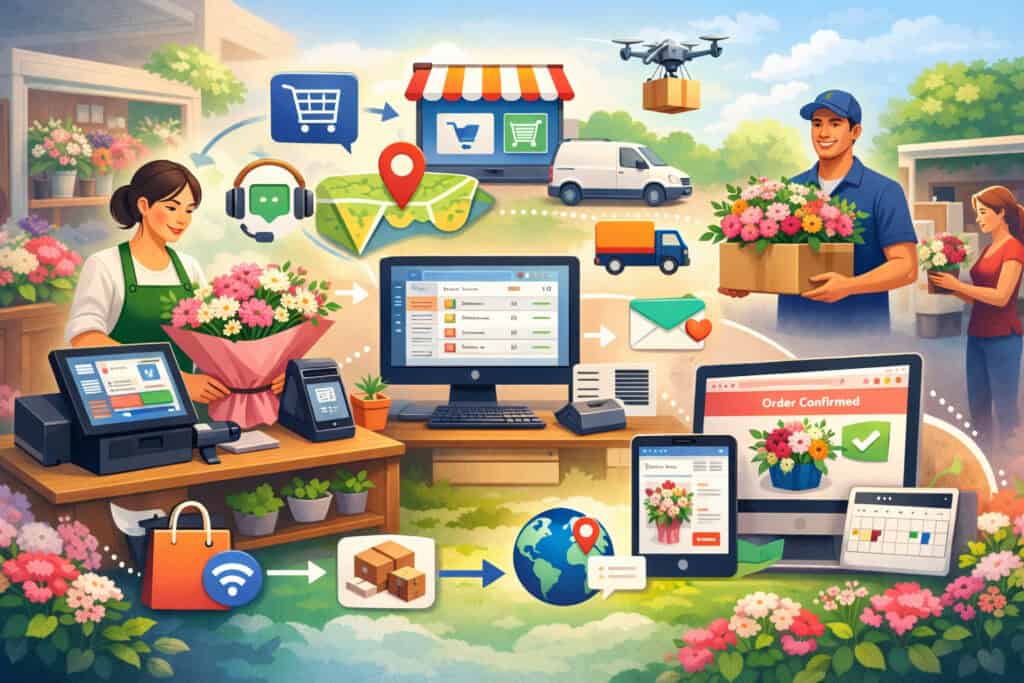
Before picking tools, you need a clear picture of how your store really operates. Many florists buy software first and then try to force their process into it. That usually breaks during busy seasons. A better approach is to define the workflow and then build POS integration around it so the technology supports the reality of floral sales.
Start by listing every sales channel you use: walk-in counter, phone orders, website checkout, marketplace orders, social media messages, and corporate invoicing. Then list every fulfillment method: in-store pickup, curbside pickup, local delivery, courier delivery, and event drop-offs.
The reason this matters is that each channel can create different data requirements—delivery zones, time slots, lead times, substitution rules, and signature requirements. When POS integration is configured correctly, each order arrives with the right “context” so your team doesn’t need to interpret guesswork.
Florists also need workflow clarity around customization. Some arrangements are fixed, while others are built from a design recipe. Your POS integration should reflect that by allowing modifiers (color palette, vase type, ribbon style, card message) and by supporting substitutions when certain blooms are unavailable.
If your online store shows “12 red roses,” but you only have 8 in stock, the system needs a rule-based way to suggest alternatives or block same-day fulfillment.
Finally, map your peak periods. Floral businesses often have predictable surges: Valentine’s Day, Mother’s Day, graduations, weddings, and memorial seasons. POS integration should help you scale by controlling order capacity (time slots, cutoff times, delivery limits) and by turning your data into operational decisions.
When these rules are missing, the business “over-sells” its ability to deliver on time, and customer satisfaction suffers.
Customer Journey Mapping for Florists: Where POS Integration Must Stay Consistent
A customer journey is not just marketing—it’s an operational blueprint. A buyer might browse online, call to confirm details, pay in-store, request delivery, then later ask for a receipt or a change. If your systems aren’t connected through POS integration, that journey becomes fragmented.
The key is to decide what counts as the “system of record.” In many florist setups, the POS becomes the operational record because it controls fulfillment, printing, routing, and reconciliation.
The ecommerce store can be the selling front-end, but the POS is often the execution engine. In a strong POS integration model, orders created online instantly appear in the POS with full details: recipient name, address validation, delivery notes, card message, add-ons, and chosen time slot.
Consistency also matters in pricing and promotions. If a “Spring Special” is discounted online but not in-store, customers notice. POS integration should synchronize price rules, coupon behavior, delivery fees, and taxes. It should also ensure that refunds and exchanges are recorded the same way regardless of where the purchase began.
Lastly, customer identity is central. If “Maria S.” bought twice online and once in-store, you want one customer profile, not three duplicates. With the right POS integration, contact information, preferences, receipts, loyalty points, and notes stay unified. That makes repeat purchases smoother and turns one-time buyers into regulars.
POS Integration Architecture for Floral Retail: Choosing the Right Connection Style
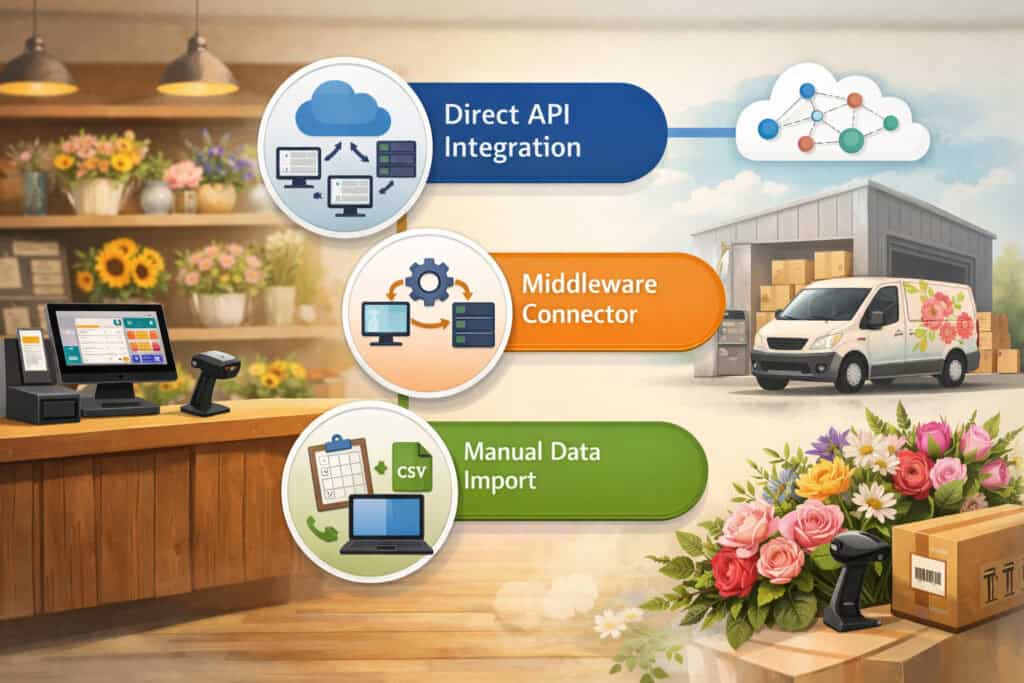
Not all integrations are equal. Some are “true” system connections, and others are fragile exports that look automated but break quietly. A florist should understand the types of POS integration so you can choose an architecture that matches your business risk level.
A basic integration approach is batch syncing—data updates every hour or every night. That can work for slow-moving retail, but floral inventory changes fast.
If you sell 25 roses in the morning in-store and your online store doesn’t update until later, you can oversell by noon. For florists, the best POS integration usually includes real-time or near-real-time inventory and order syncing, especially for peak dates.
Another major architectural decision is whether you’re using a “unified” platform or connecting best-of-breed tools. A unified platform means your POS, ecommerce, inventory, and payments are designed together. It often reduces integration complexity and support gaps.
Best-of-breed means you choose a dedicated ecommerce platform, a separate POS, and separate delivery software, then connect them. This can be powerful, but only if POS integration is done with reliable APIs and clear ownership of data.
You should also plan for exceptions. Floral operations constantly encounter exceptions: address changes, substitutions, delivery reschedules, partial refunds, and chargebacks. Your POS integration must handle those without forcing manual workarounds. The “exception path” is where weak integrations collapse.
Finally, think about scale. Even a small florist can suddenly handle hundreds of orders on a holiday weekend. The integration must handle volume without lag, duplicated orders, or missing payment confirmations. Reliability is not a luxury—POS integration is your operational backbone.
Real-Time Inventory for Flowers: Recipes, Components, and Shrink Control in POS Integration
Floral inventory is tricky because you sell finished items but manage raw components. You don’t just stock “Bouquet A”; you stock roses, lilies, greenery, vases, ribbon, cards, and packaging. Effective POS integration needs to connect those components to the items you sell so inventory depletion reflects reality.
A practical approach is to treat arrangements as “recipes” or bill-of-materials (BOM) items. When you sell one arrangement, the system reduces the underlying stems and supplies based on a predefined recipe, while still allowing substitutions.
That recipe model should exist in the POS or be tightly connected through POS integration so online orders don’t ignore component availability.
Shrink control is another reason inventory integration matters. Flowers perish, and waste is part of the business. Your system should allow inventory adjustments for spoilage, damage, and returns. With good POS integration, those adjustments update both in-store and online availability so you don’t sell what you don’t have.
You also need rules for “soft” inventory. For example, you might want to accept online orders for certain items even if the exact stem count is uncertain, relying on substitutions. In that case, your POS integration should support availability thresholds and substitution messaging. That keeps the buying experience smooth while still protecting fulfillment capacity.
Ecommerce and POS Integration for Florists: Syncing Catalog, Pricing, and Checkout Without Chaos
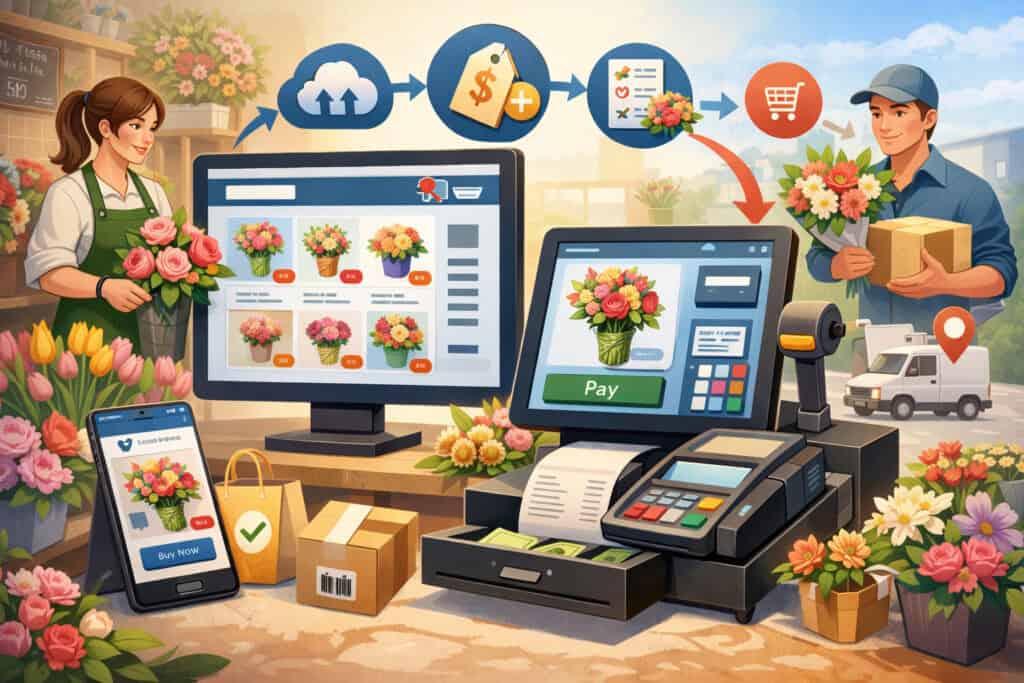
Online floral sales work best when your website behaves like an extension of your counter—not a separate business. That means your ecommerce platform must be aligned with your POS through POS integration so product details, order information, and customer data flow correctly.
Catalog syncing is a common pain point. Florists often have categories like birthday, sympathy, anniversary, seasonal, and premium arrangements. Some products are always available, while others rotate weekly.
With strong POS integration, you can publish and unpublish products based on season, inventory thresholds, and delivery capacity. Without that, the website becomes stale, and customers order items you no longer offer.
Pricing must be consistent too. Florists frequently adjust pricing based on stem cost fluctuations, holiday demand, delivery zones, and premium time slots. If your in-store prices update but your online prices don’t, you create customer complaints and margin leakage.
POS integration should synchronize base prices, variants, add-ons, discounts, and delivery fees so you’re not managing two price books.
Checkout also matters. Online payments should instantly confirm the order inside the POS. If payment is “pending” and the order doesn’t appear, your team wastes time looking for it. Good POS integration ensures that when an online customer clicks “Place Order,” the POS receives a paid order with clear fulfillment instructions.
Finally, ecommerce integration should help with customer service. Customers frequently request changes: a different note, a different delivery time, or a substitution preference. Your systems should allow your staff to edit the order once in the POS, and—where possible—reflect updates back to the customer through email or SMS notifications.
Product Modifiers and Add-Ons: Making POS Integration Work for Custom Arrangements
Floral sales are customization-heavy. Customers choose colors, vase upgrades, greeting cards, balloons, chocolates, and special instructions. Your POS integration must support modifiers in a way that remains readable for designers and drivers.
The best approach is to standardize modifiers. Instead of free-text chaos, create structured choices: “Vase Upgrade,” “Premium Card,” “Ribbon Style,” “Color Palette,” and “Add-On Items.”
Then ensure those choices sync from the website to the POS in a consistent format. If the ecommerce store labels something “Vase Upgrade” but the POS shows it as a vague note, mistakes happen.
Notes still matter, but they should be in the right fields. For example, “Card Message” should be its own field so it prints clearly. “Delivery Instructions” should be separated so the driver sees it. POS integration should preserve these fields rather than dumping everything into one long comment.
Add-ons should also connect to inventory. If you sell chocolates, plush toys, or candles, those are real SKUs that need tracking. With proper POS integration, selling an add-on online reduces stock just like an in-store sale. That prevents overselling, especially during holidays.
Delivery, Pickup, and Dispatch: POS Integration That Protects Time Slots and Reputation
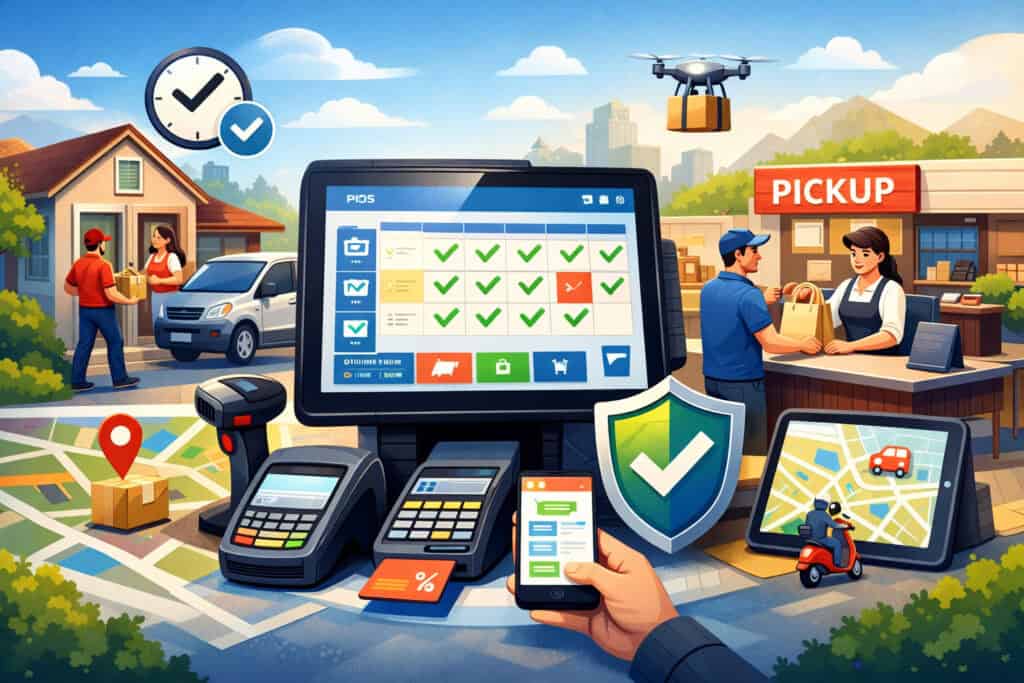
For florists, delivery is often where profit and reputation are won or lost. A late delivery on a major date can permanently damage trust. That’s why POS integration must extend into dispatch, driver workflows, time slots, and cutoff rules—not just payment and inventory.
Start with delivery zones. Most florists price delivery based on distance, zones, or ZIP codes. Your POS integration should calculate delivery fees automatically at checkout and attach the correct zone to the order. It should also support special rules—like higher fees for same-day delivery or limited service for remote areas.
Time slots and cutoff times are equally important. You need the ability to limit orders per slot and stop taking orders when your team reaches capacity.
The best POS integration setups let you control capacity in the POS (where operations live) while enforcing it online (where orders originate). If these are disconnected, your website keeps accepting orders even when you cannot fulfill them.
Dispatch visibility is a major advantage of integrated systems. If the POS can generate delivery routes, assign drivers, and track completion status, your customer service improves. Staff can answer “Where is my order?” without guessing.
Strong POS integration ensures that delivery status updates (out for delivery, delivered, exception) are reflected back to your customer communication system.
Pickup also deserves automation. Pickup orders should print prep tickets, reserve inventory, and notify the customer when ready. A good POS integration flow prevents the common mistake of treating pickup orders like normal retail sales without fulfillment tracking.
Proof of Delivery, Exceptions, and Customer Notifications in POS Integration
Even when everything is planned, delivery exceptions happen: gated communities, wrong addresses, recipients not home, weather issues, or phone numbers that don’t work. POS integration should help you handle exceptions with documentation and consistent communication.
Proof of delivery (POD) can include photos, signatures, timestamps, and location confirmation. While not every florist needs a complex solution, having a consistent POD method can protect you in disputes and chargebacks.
The key is that POD should link back to the order record in the POS through POS integration, so your team doesn’t have to search multiple apps.
Customer notifications reduce inbound calls. Automated SMS or email updates for order confirmation, out-for-delivery, and delivered messages can lower support volume during peak days.
Your integration should ensure messages sent based on real delivery status, not estimates. If a driver marks an order delivered, that status should trigger the final notification.
For exceptions, you need a structured workflow: mark the order as “exception,” log the reason, and choose a resolution path (redelivery, refund, contact customer). With strong POS integration, that resolution updates reporting and accounting so you don’t lose track of costs and outcomes.
In-Store Execution: Hardware, Speed, and Staff-Friendly POS Integration
Even if you sell online, the in-store counter is still the heartbeat of many floral businesses. A customer might walk in for a quick bouquet, call from the parking lot for curbside pickup, or place an urgent same-day request.
POS integration must keep the in-store experience fast and reliable, because slow checkouts create lines and increase errors.
Hardware should match your environment. Many floral shops have wet areas, busy design stations, and drivers coming in and out. Your POS hardware needs durability and quick access. A stable internet connection matters too, because cloud systems rely on uptime.
If your connection is unreliable, choose a setup that supports offline mode and later synchronization, but ensure your POS integration can reconcile transactions correctly afterward.
Barcode scanning can be helpful for supplies and add-ons, but flowers themselves often aren’t barcoded. Still, scanning improves speed for common items like vases, cards, and packaged gifts. Integrated scanning helps inventory accuracy, which is essential for POS integration to keep online stock aligned.
Staff usability matters as much as features. If adding an order note takes six clicks, your team will skip it. If modifying a time slot is confusing, staff will create workarounds. A good POS integration approach includes training, role-based permissions, and a consistent process for how orders move from sale to fulfillment.
Finally, in-store workflows should align with online fulfillment. If online orders print design tickets but in-store orders do not, you create two operational systems. POS integration should unify the process so all orders—no matter where they start—follow the same fulfillment pipeline.
Accounting, Purchasing, and Vendor Tracking: The “Back Office” Side of POS Integration
Florists often focus on sales, but profitability is driven by purchasing, waste control, and accurate financial reporting. That’s why POS integration should extend into accounting and vendor management, even if you keep it simple.
At a minimum, sales data should flow cleanly into your accounting system: revenue, taxes, tips, delivery fees, refunds, and discounts. The integration should also separate payment methods and fees so you can reconcile deposits accurately.
If you have online and in-store payments, POS integration should make sure you can trace every transaction to a specific order and settlement.
Purchasing workflows matter too. If you buy stems from multiple suppliers, track costs, and adjust pricing accordingly, you need basic purchasing records.
Some POS systems support purchase orders and vendor catalogs; others require a separate inventory tool. Either way, POS integration should keep item cost data available for margin reporting so you can see which arrangements are truly profitable.
Vendor tracking also supports consistency. If one supplier’s roses last longer or arrive in better condition, that impacts waste and customer satisfaction. Over time, integrated purchasing data helps you refine buying decisions.
Even if you don’t implement full purchasing automation on day one, plan for it. A florist who starts small often grows quickly, and weak back-office processes become expensive during expansion. Strong POS integration makes growth less chaotic.
Security, Reliability, and Compliance: Keeping POS Integration Stable During Peak Demand
Florists process payments, store customer details, and manage delivery addresses. That data must be protected. In addition, your business needs a system that doesn’t crash during the busiest week of the year. Security and uptime are not “technical extras”—they are core to operational success and customer trust.
Security starts with payment handling. You want tokenized payments, strong access controls, and limited storage of sensitive data. Most modern payment setups reduce your exposure by keeping card data within secure payment environments.
Still, your staff permissions matter. Your POS integration should support roles so that designers, cashiers, and drivers don’t all have the same access to refunds, reports, and customer profiles.
Reliability includes both software stability and process design. Even a great system will occasionally experience outages or sync delays. You need an operational playbook: how to take orders when the system is slow, how to confirm payment, and how to avoid duplicate orders when connectivity returns.
Your POS integration should include consistent identifiers (order numbers) and reconciliation reports so you can detect missing or duplicated transactions.
Compliance also includes tax handling and receipts. Sales taxes vary by state and sometimes by locality, and delivery fees can have different tax rules depending on how they are structured. While your accountant should guide your exact setup, your POS integration should support tax configuration that aligns online and in-store transactions.
For many businesses in the United States, keeping tax collection consistent across channels is essential for clean reporting and fewer surprises.
Finally, privacy matters. Delivery addresses and recipient notes are sensitive. Your system should limit visibility where appropriate and ensure data is handled responsibly, especially when you use third-party delivery tools connected through POS integration.
Downtime and Reconciliation: How POS Integration Should Recover Without Losing Money
Downtime planning is often ignored—until it happens during a holiday rush. A florist should assume that at some point, the internet will fail, a device will break, or an integration will lag. The difference between a minor hiccup and a major revenue loss is preparation.
A strong downtime plan starts with order capture. If the POS goes offline, can you still create orders? If the ecommerce store continues receiving orders, how will you access them?
The best POS integration setups provide a way to queue orders and sync later, but you still need a manual fallback for extreme cases: printed order forms, a dedicated phone line, and a clear method to mark which orders were processed.
Reconciliation is the next step. After an outage, you should compare: ecommerce order count vs POS order count vs payment settlements. Your POS integration should provide reports that show unmatched orders, pending payments, refunds, and delivery completion status. Reconciliation prevents lost orders and prevents duplicated fulfillment.
It’s also wise to run a “peak day drill” before major events. Test how time slots behave, confirm inventory updates, and simulate a refund. This rehearsal is not overkill. Floral sales are high-stakes and time-sensitive, so your POS integration should be tested like a mission-critical system.
Implementation Roadmap and Future Predictions: Where POS Integration for Floral Sales Is Heading
Implementing POS integration is not a one-click switch. It’s a project that blends technology and operations. The best results come from phased rollout: get the fundamentals stable, then add automation and optimization.
Phase one focuses on core alignment: one product catalog strategy, unified pricing rules, synced payments, and accurate order flow from online to the POS. You also want basic inventory logic—either simple stock counts for key items or a recipe approach for arrangements. At this stage, avoid over-customizing. Keep it reliable, and make sure staff can execute it.
Phase two adds fulfillment automation: printing design tickets, scheduling time slots, delivery zoning, customer notifications, and basic reporting dashboards. This is where POS integration starts to reduce chaos, because orders arrive pre-structured and staff spend less time translating customer requests.
Phase three expands into optimization: forecasting, purchasing workflows, customer segmentation, loyalty, and marketing automation. Here, your integrated data becomes a competitive advantage because you can predict demand and design promotions that match operational capacity.
Looking ahead, the future of POS integration for florists is moving toward more intelligent automation. Expect better demand forecasting based on seasonal patterns, improved substitution recommendations when stem availability shifts, and more dynamic pricing models that reflect supply costs and delivery capacity.
Delivery routing will continue improving, with stronger real-time tracking and customer communication. We’ll also see more API-first tools, meaning integrations will be more modular and easier to replace as your business evolves.
Another likely trend is deeper personalization. With unified customer histories, POS integration can support personalized reminders (anniversaries, birthdays), curated recommendations, and subscription-style floral programs that keep revenue steady year-round.
Finally, operational analytics will become more accessible to small retailers, making it easier to track waste, measure designer productivity, and improve margins without adding administrative burden.
Phased Rollout Checklist: A Practical Plan for POS Integration That Doesn’t Disrupt Your Shop
A florist-friendly rollout should minimize risk while delivering immediate improvements. Begin with a clean catalog. Decide which items are fixed, which are customizable, and which are seasonal. Ensure product names, photos, and modifier structures are consistent so POS integration doesn’t create mismatched items across channels.
Next, define fulfillment rules: delivery zones, time slots, cutoffs, and capacity limits. Configure these rules in a place that operations can control—often the POS or a connected fulfillment module—then enforce them online.
This is one of the most valuable benefits of POS integration, because it prevents overbooking and helps your team meet promised delivery windows.
Then handle payments and refunds. Confirm that online and in-store payments reconcile cleanly, and that refunds flow back correctly without double-processing. Test partial refunds, delivery fee adjustments, and exchanges. If you process tips, confirm they are handled consistently across channels.
Train staff with role-based workflows. Designers should see clear tickets. Drivers should see clean delivery instructions. Cashiers should process sales quickly without digging for options. A rollout succeeds when POS integration becomes invisible—your team simply works faster with fewer errors.
Finally, measure results. Track order accuracy, refund rates, delivery issues, and average fulfillment time. Integration success is not just technical; it’s operational. When you measure improvements, you also identify the next automation steps that will produce the biggest return.
FAQs
Q.1: What is the biggest benefit of POS integration for a florist who already sells in-store successfully?
Answer: The biggest benefit of POS integration is preventing operational drift between online and in-store sales. Without integration, you end up running two versions of your business: one in the POS and another on your website.
That creates inconsistent pricing, mismatched product availability, and confusing customer histories. With strong POS integration, online orders appear instantly in your POS with all the details your team needs to fulfill them.
That reduces mistakes like missing card messages, incorrect delivery notes, or selling items that are out of stock. It also improves the customer experience because receipts, refunds, and loyalty data remain consistent regardless of channel.
During high-volume periods, the benefit becomes even more obvious: you can control time slots and order capacity so you don’t overpromise delivery times. Ultimately, POS integration helps you protect your reputation while improving profitability by reducing rework and manual tasks.
Q.2: How do I handle substitutions for flowers when using POS integration with an online store?
Answer: Substitutions are normal in floral sales, so your POS integration should support them intentionally rather than treating them like exceptions. The best approach is to sell arrangements with a clear design style (color palette, size, and overall look) rather than guaranteeing specific stems unless you truly can.
Your online catalog can describe the “design intent,” while your POS workflow contains substitution rules and internal recipes. With solid POS integration, you can manage inventory thresholds so the website doesn’t oversell scarce stems, while still allowing your designers flexibility to substitute within a style.
You should also structure order notes so substitution preferences are captured clearly—such as “no lilies” or “avoid strong fragrance.”
In addition, if you offer premium upgrades, make sure POS integration records those upgrades as structured modifiers so they aren’t missed on the design ticket. Substitution success is a mix of transparency, structured data, and operational discipline.
Q.3: Do I need real-time inventory for POS integration in a flower shop?
Answer: Real-time inventory is strongly recommended for florists, especially if you sell online and offer same-day delivery. Flowers and supplies move quickly, and inventory can change within hours. If your POS integration only updates once per day, your website may sell items that your store can’t fulfill without substitutions or delays.
That said, not every florist needs perfect stem-level tracking on day one. Many shops start by tracking key constrained items (popular stems, premium vases, add-ons) and using availability thresholds for arrangements.
As you mature, you can move toward recipe-based tracking where selling an arrangement reduces component inventory. The decision depends on your volume, how often you run out of specific items, and how strict your product guarantees are.
The safest approach is to implement POS integration that supports near-real-time updates, then choose the inventory depth that matches your operational reality.
Q.4: How can POS integration help reduce delivery mistakes and missed time slots?
Answer: Delivery mistakes usually come from missing details: wrong addresses, unclear instructions, incorrect time slot assignment, or order changes that aren’t communicated. POS integration reduces these errors by standardizing the order record and making fulfillment status visible.
When online checkout captures the address, phone number, delivery notes, card message, and time slot in structured fields—and that data transfers into the POS accurately—your team doesn’t have to interpret scattered notes.
Integration also helps enforce cutoff times and capacity limits, so the website stops accepting orders that you can’t deliver on time. If you connect dispatch tools, POS integration can support driver assignment, route planning, and proof of delivery, which improves accountability.
It also enables automated customer notifications tied to real status updates. Together, these reduce inbound “Where is my order?” calls and help you meet promised delivery windows more consistently.
Q.5: What should I prioritize first when implementing POS integration for online and in-store floral sales?
Answer: Start with the essentials that prevent expensive chaos: order flow, pricing consistency, and fulfillment clarity. First, ensure online orders reliably appear in the POS with payment confirmation and complete details.
Next, align your catalog strategy so product names, variants, and modifiers map correctly between systems—this is where many POS integration failures begin. Then implement consistent pricing rules so promotions and delivery fees behave the same online and in-store. After that, focus on fulfillment controls: time slots, cutoffs, and delivery zones.
These protect your reputation during peak periods. Only after the foundation is stable should you add advanced features like recipe-based inventory, marketing automation, and forecasting. A florist doesn’t need the most complex setup to win; you need POS integration that stays accurate under pressure and makes the team’s job easier.
Conclusion
POS integration is the difference between operating one unified flower business and juggling multiple disconnected systems that fight each other.
When your online store, in-store POS, inventory logic, delivery workflows, customer profiles, and accounting data share consistent information, your shop becomes faster, more accurate, and easier to manage—especially during peak seasons when mistakes are most costly.
For floral sales, the “right” integration is not just about syncing payments. It must support customization, structured order notes, delivery zones, time slots, substitutions, and inventory realities that change by the hour.
The strongest POS integration setups protect your reputation by preventing overselling, improving fulfillment clarity, and reducing delivery errors. They also improve profitability by cutting manual work, lowering refund rates, and giving you better visibility into margins, waste, and demand patterns.