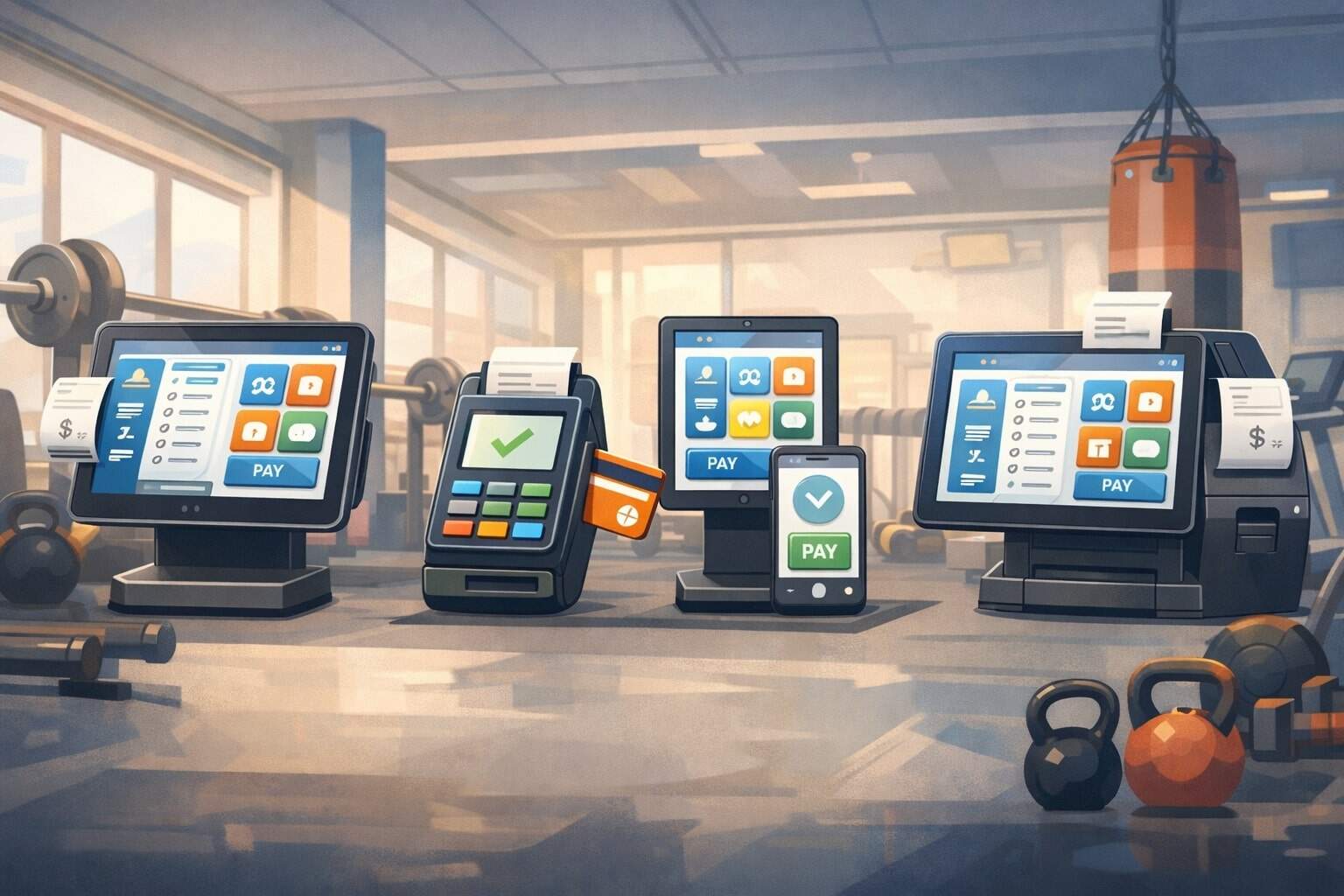
Running a modern facility means you’re not just swiping cards at the front desk. You’re managing memberships, class packs, personal training, retail, waivers, recurring billing, late fees, upgrades, refunds, chargebacks, and daily reconciliation—often across multiple locations and multiple sales channels. The right gym POS system becomes the operational “brain” that ties all of that together.
This guide focuses on the most practical, high-performing POS systems for gyms and fitness centers—especially those that combine payments with scheduling, member management, and sales automation.
You’ll also get forward-looking advice so the gym POS system you choose today still makes sense as consumer expectations shift toward self-serve check-in, mobile wallets, and more automation.
What a Modern Gym POS System Must Do (and Why It Matters in 2026)
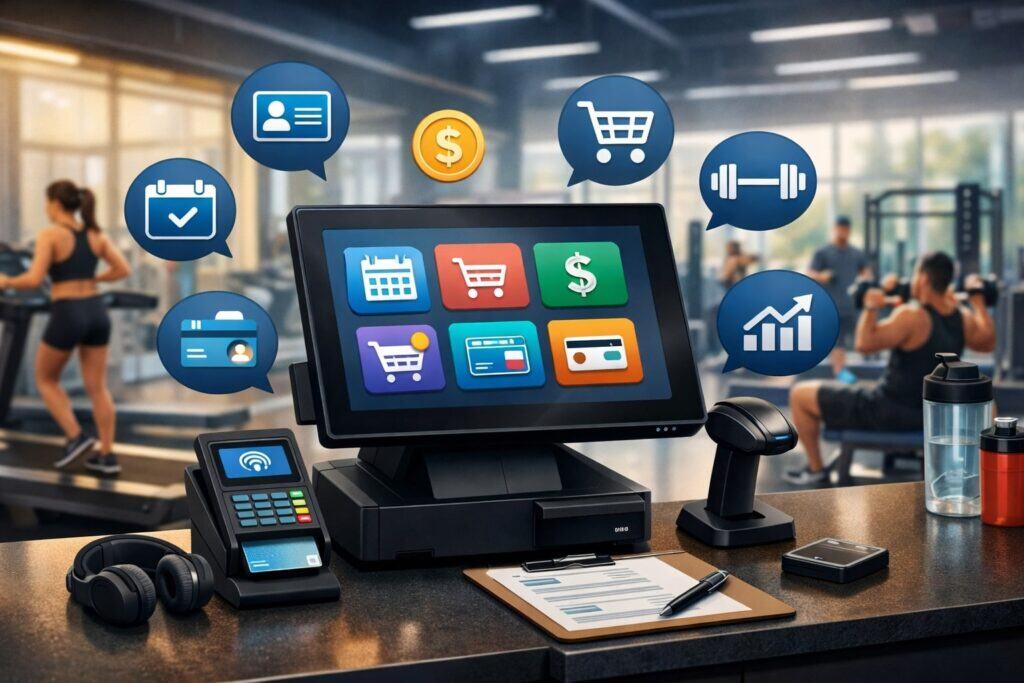
A gym POS system is no longer “just” a register. For fitness businesses, POS has to connect front-desk sales with membership billing, attendance history, lead tracking, and the member experience.
If those pieces don’t sync, you’ll feel it immediately: staff spends time “fixing” accounts, members get confused about charges, and reporting becomes unreliable. The best platforms treat POS as a hub that keeps everyone working from the same truth—what was sold, to whom, under which agreement, and with which billing schedule.
In 2026, expect even more pressure on speed and convenience. Members increasingly prefer mobile check-in, stored payment methods, and contactless flows. On the business side, owners want predictable revenue (recurring billing), fewer failed payments (automated retries and account updaters), and better visibility into what drives retention.
A future-ready gym POS system should also support hybrid revenue: in-person retail, online class bookings, remote coaching add-ons, and automated marketing tied to purchase behavior.
The biggest “silent” requirement is reliability at the point of interaction. A busy 5–7 PM rush doesn’t allow for slow screens, confusing workflows, or payments that don’t reconcile.
Your POS must be fast, intuitive for new staff, and able to handle real-world messiness—pauses, freezes, prorations, membership holds, and split tenders—without breaking reporting.
Gym POS System Features You Should Prioritize Before You Compare Brands

Start with outcomes, not logos. The best gym POS system for you depends on your operating model: big-box facility vs. boutique studio, appointment-heavy training vs. class-based programs, single location vs. multi-site, staffed front desk vs. self-serve access. The features below are the ones that consistently create real ROI.
First, make sure your POS supports recurring membership billing that’s tightly linked to check-in status, member agreements, and add-ons. A gym can’t afford “manual billing” because it scales poorly and increases disputes.
Next, prioritize integrated scheduling (classes, appointments, waitlists) so sales and bookings live together instead of in separate tools. Then ensure you can sell packages and class credits, not just single items.
Retail and inventory are also key for many facilities—supplements, apparel, drinks, wraps, branded merch. A strong gym POS system tracks stock levels, discounts, taxable categories, and vendor restocking without spreadsheets. Finally, look for workflows that reduce front-desk friction: saved cards, tap-to-pay, digital receipts, self-serve kiosks, and fast refunds.
If you plan to grow, reporting matters more than you think. You want dashboards that answer: Which memberships retain best? Which offers convert? What’s the average revenue per member? How many failed payments did automation recover? Without clean data, expansion decisions become guesses.
Payments, Hardware, and Checkout: The “Hidden Costs” of a Gym POS System

Two gym owners can buy the same software and have very different results based on payment setup and hardware choices. Hardware includes tablets, card readers, receipt printers, barcode scanners, and sometimes kiosks.
Some platforms offer branded POS hardware options designed to work with their apps, which reduces compatibility headaches. For example, Mindbody highlights phone/tablet POS compatibility through its business app and mobile card reader approach, aiming for flexible checkout anywhere in the facility.
Payments matter even more because they impact cash flow, member disputes, and reporting accuracy. A gym POS system that embeds payments often creates smoother workflows—saved payment methods, automatic membership renewals, and single-dashboard reconciliation.
Stripe’s customer story notes Mindbody consolidated payments onto Stripe and developed an integrated payments layer as a core part of its platform. This kind of embedded setup typically improves the “billing + member record” connection, which reduces staff time spent hunting down transactions.
Also consider payment types your members actually use: contactless, mobile wallets, ACH for larger plans, and card-on-file for renewals. On the operations side, you’ll want strong controls for refunds, chargebacks, and fraud mitigation.
Even if you don’t think these are “big issues,” the first time a billing dispute escalates, you’ll be glad your gym POS system stores clear invoices, agreement terms, and payment history in one place.
Top POS Systems for Gyms & Fitness Centers
Below are leading options that work well as a gym POS system (either as true all-in-one gym platforms or as POS platforms with strong fitness workflows). Each section explains who it’s best for, what it does well, where to be cautious, and what to expect as features evolve.
Mindbody POS: Best for Boutiques and Experience-Driven Studios
Mindbody is a well-known choice for studios that sell experiences—classes, appointments, packages, and recurring memberships—along with retail. Its POS positioning emphasizes streamlined payment processing, inventory tracking, and using phones or tablets with a synced card reader for flexible checkout.
This matters in real life because many studios don’t want a fixed register; they want staff to sell or rebook clients wherever the conversation happens—front desk, lobby, even after class.
A major advantage is how tightly POS connects to scheduling and client profiles. When your gym POS system also controls bookings, it becomes easier to upsell: “You’re here twice this week—want a 10-pack?” or “Your package is almost done—renewed today.”
On the payments side, Mindbody’s Stripe-backed embedded payments journey is well documented, and the platform has pushed deeper integration over time. That typically supports modern expectations like contactless and saved wallets, which can reduce checkout time and increase conversion at the counter.
Where you should be careful is complexity and total cost. Mindbody can be feature-rich, but that can mean more configuration and higher monthly spend depending on your tier and add-ons.
If your facility is simple (limited scheduling, mostly open-gym access), you may pay for more than you use. The best fit is a studio that lives and dies by bookings, packages, and retention marketing—and wants the POS to drive that engine.
ABC Fitness (Ignite / Club Management): Best for Full-Service Clubs and Multi-Location Operations
ABC Fitness positions its club management platform as built for gyms and health clubs with operational depth—front-desk workflows, billing, check-ins, and scaling across locations.
If your business has multiple membership types, corporate plans, family accounts, complex billing rules, and higher volume check-ins, this “club-first” orientation can be a major advantage for a gym POS system.
A strong club-focused POS setup should handle more than transactions—it should support account management: upgrades, freezes, holds, initiation fees, annual fees, and collections policies.
ABC’s positioning emphasizes streamlining operations across the entire facility, not just the register. In practice, that can reduce the “tool sprawl” that happens when clubs bolt a generic POS onto separate billing and CRM systems.
For future readiness, bigger facilities are trending toward automation and data-driven retention—spotting membership risk, offering targeted incentives, and improving payment recovery.
A mature club platform is often better positioned for those enterprise workflows than a lightweight POS. The tradeoff is that enterprise-style platforms can require more onboarding and process alignment.
If you’re small but plan to scale, ABC can make sense if you’re ready to implement systems like a larger operator—clean roles, defined billing rules, and standardized front desk processes.
ABC Glofox: Best for Member Engagement and Boutique Gym Operations
ABC Glofox is widely used by studios and gyms that want an all-in-one operations layer with strong member experience—booking, communications, and growth features.
Its own overview highlights a catalog of features aimed at improving operations and member experiences, and it regularly publishes forward-looking automation and retention guidance for the year ahead. As a gym POS system, it’s often selected by operators who want “business management + sales + engagement” to feel cohesive.
The practical benefit is speed: staff can sell memberships, packs, and add-ons while tying purchases to check-ins, class attendance, and automated messaging.
When POS and communication live together, you can trigger smart workflows like: “missed class” follow-ups, “pack expiring” reminders, or “new member” onboarding sequences. That’s not just convenience—it’s revenue protection and retention.
Another advantage is clarity for members. Studios that depend on repeat bookings benefit when members can buy, book, and manage their accounts with minimal friction. A modern gym POS system in this category is partly about reducing staff dependency—members self-serve more, and staff focuses on coaching and community.
The caution is integration fit. If you have specialized needs like complex club accounting, deep access control customization, or a highly unique billing model, you’ll want to confirm the platform supports your workflows without heavy workarounds.
Still, for many boutique operators, Glofox strikes a strong balance between sales tools and day-to-day simplicity.
Zen Planner Retail + Billing: Best for Training Gyms and Program-Based Memberships
Zen Planner is often chosen by gyms that run structured programs—group training, martial arts schools, coaching-based memberships, and attendance-driven models.
Its retail capability is explicitly positioned around selling products and managing inventory in-store or online, making it viable as a gym POS system for facilities that sell merch and supplements alongside memberships.
What makes Zen Planner stand out in real operations is how it blends membership management with day-to-day gym workflows like attendance tracking, program enrollment, and consistent billing routines.
If your business sells time-bound programs (8-week challenge), recurring memberships, and product bundles, you’ll appreciate a POS setup that can support packages, renewals, and retail without awkward “custom item” hacks.
Because the platform is built around fitness business logic, it typically handles common needs like automated billing, member self-service, and staff workflows more naturally than a generic retail POS.
From a forward-looking perspective, program-based gyms are increasingly focused on measurable outcomes and retention loops—help members show progress, then renew them into the next program.
A gym POS system that connects purchases to attendance and program history makes that much easier. Your key due diligence should be around your exact payment flows, any required integrations, and how much you want the POS to do versus what you prefer to manage in separate accounting systems.
PushPress: Best for Self-Serve Check-In and Fast Front-Desk Workflows
PushPress is popular with gyms that want to reduce admin load and keep the floor moving—especially during peak class transitions. PushPress highlights self-serve check-ins and kiosk-style flows, including the ability for members to buy merchandise and add-ons through kiosk mode.
For many facilities, this is the next evolution of a gym POS system: fewer lines, fewer “front desk bottlenecks,” and more automated sales.
A standout advantage is operational efficiency. When members can check in, update details, sign waivers, and make purchases quickly, your staff is freed up for coaching, tours, and high-value conversations.
PushPress also has a well-known Stripe customer story describing how it integrated payments into gym management workflows—important for embedded billing, smoother onboarding, and scalable transaction handling. This is especially relevant if your revenue depends heavily on recurring memberships and you want fewer missed payments.
The best-fit operator is someone who values streamlined systems over “everything-and-the-kitchen-sink.” PushPress can be an excellent gym POS system when you prioritize speed, automation, and member self-serve.
Your caution area is ensuring it covers your full business model if you run complex appointment scheduling, high retail volume, or unique membership structures. But for many class-driven gyms, the tradeoff is worth it: less admin, fewer interruptions, and cleaner daily workflows.
Wodify Payments + Gym Management: Best for Performance-Driven Training Communities
Wodify is strongly associated with training gyms that care about coaching workflow and performance tracking, while still needing a reliable gym POS system for memberships, retail, and personal training.
Wodify states that Wodify Payments partners with Stripe and supports cards and ACH for memberships, retail, and other services sold by the gym. That breadth is important because training gyms often sell a mix of recurring plans, drop-ins, retail, and specialty programs—plus they may prefer ACH for larger monthly memberships.
The operational value is cohesion. When billing, scheduling, communications, and performance context live together, the business becomes easier to run.
Staff can see what a member is enrolled in, what they’ve purchased, and what they should be offered next. That reduces the “guessing” that leads to inconsistent front-desk sales and uneven member experience.
Wodify also highlights add-ons like access control management as part of broader operational capabilities, which can matter if you want the gym POS system to tie into entry permissions.
If you’re pushing toward 24/7 access models, this becomes increasingly important: the best systems connect payment status and membership type directly to access rules.
Your diligence points: onboarding, the exact feature set you need (especially if you’re not a performance-driven gym), and how reporting aligns with your business KPIs. But if you want an operations platform that respects the coaching-first nature of a training community, Wodify is often a strong fit.
Square for Fitness: Best for Simple Operations with Strong Checkout and Booking
Square can be a great option when you want a reliable POS foundation with fitness-friendly booking and client management. Square explicitly positions a fitness setup around managing clients, class bookings, and payments with its appointments tools.
As a gym POS system, Square shines when your sales are straightforward (memberships or sessions), you want easy hardware access, and you value a fast, familiar checkout experience.
Square’s advantage is usability and ecosystem. Many staff already know how to use it, training is quick, and it integrates with a broad range of small business tools (accounting, websites, etc.).
If your facility is more like a personal training studio, a small class-based business, or a hybrid wellness space that doesn’t need heavy club management, Square often delivers a “just works” experience.
The tradeoff is depth of gym-specific membership logic. Some gyms outgrow generic POS models when they need complex membership rules, advanced access control, detailed retention analytics, and deep integration between check-ins and billing policies.
But if your priority is clean checkout, easy bookings, and minimal operational friction, Square can be an excellent gym POS system—especially early on or for simpler facilities.
How to Choose the Right Gym POS System for Your Gym Type
Choosing a gym POS system is easier when you match tools to your real workflows, not your aspirational ones. Here’s a practical way to decide:
If you’re a boutique studio where scheduling is the product, prioritize Mindbody or ABC Glofox because POS must be tightly connected to bookings, packages, and member communications.
If you’re a full-service club with multiple locations, complex billing policies, and higher volume check-ins, ABC’s club management direction is often a better fit because it’s designed around operational scale.
If your gym is training-focused and you want workflows that keep classes moving (self-serve, kiosks, fast check-ins), PushPress is a strong contender because it emphasizes reducing front desk friction while still supporting sales.
If performance tracking and coaching context are core to your brand, Wodify tends to align well while still supporting modern payment types like ACH through a Stripe partnership.
If you want simplicity and clean checkout with booking support—and you’re not running complex club membership structures—Square can be enough.
And if your business model includes programs plus retail inventory, Zen Planner’s retail and membership orientation can help you stay organized without stitching multiple tools together.
The most important rule: pick the system that your staff will actually use correctly every day. A “powerful” gym POS system that causes mistakes at the front desk will cost more than a simpler one that’s executed flawlessly.
Implementation Checklist: How to Roll Out a Gym POS System Without Chaos
Switching a gym POS system can be stressful, but most problems come from skipping fundamentals. Start by mapping your revenue products: memberships, add-ons, class packs, PT sessions, retail SKUs, initiation fees, freeze fees, late fees, and discounts. If your catalog is messy, POS will be messy.
Next, standardize billing rules: when does billing occur, what happens on failed payments, how are holds handled, what’s refundable, and how do you document agreements?
Then configure staff permissions so refunds and discounts aren’t uncontrolled. Make sure your checkout flow is consistent—especially during peak hours. Your goal is that any staff member can process common transactions in under a minute.
Data migration is where many gyms stumble. Audit member records, clean duplicates, and confirm that active members have correct payment methods and billing dates.
After that, run parallel testing: process “test sales,” verify receipts, confirm reporting, and reconcile deposits. Do not treat “it processed once” as proof—test refunds, chargebacks, and membership changes too.
Finally, train staff with scripts and scenarios: “new member join,” “upgrade,” “freeze,” “refund,” “package renewal,” “late payment recovery.” A gym POS system is only as good as the daily habits around it. If you implement it with discipline, you’ll get faster check-ins, fewer billing issues, and better sales consistency.
Future Predictions: Where Gym POS Systems Are Headed Next
The next phase of the gym POS system market is less about “adding features” and more about automation and personalization. Expect more AI-assisted workflows: predicting churn risk, recommending offers based on attendance, and auto-triggering outreach when a member’s behavior shifts.
Some platforms already talk about cross-channel payments, mobile wallets, and embedded finance being “everyday essentials,” signaling where expectations are going.
Self-serve is also expanding. Kiosks and mobile check-in won’t just reduce lines—they’ll become a sales channel. PushPress already highlights kiosk-driven check-ins that can also sell merch and add-ons, which is a preview of where the broader market is moving.
In 2026 and beyond, a well-designed kiosk flow can outperform a human cashier for routine transactions, while staff focus on high-touch experiences like tours, goal setting, and coaching.
Payments will continue to get more “invisible.” Embedded payments tied to member profiles will reduce friction: saved cards, tap-to-pay, automatic billing, smart retries, and deeper reconciliation. Stripe’s customer stories with platforms like Mindbody and PushPress show how embedded payments is a strategic direction—not a side feature.
Lastly, access control and billing will become more interconnected as 24/7 models grow. Systems that can connect payment status to access permissions will be increasingly valuable, especially for unstaffed hours.
The “future-ready” gym POS system is one that treats membership as a living relationship—billing, booking, access, and engagement working as one.
FAQs
Q.1: What’s the difference between a “gym POS system” and “gym management software”?
Answer: A gym POS system focuses on selling: taking payments, ringing up retail, applying discounts, issuing refunds, and reconciling daily totals.
Gym management software focuses on operations: memberships, check-ins, scheduling, waivers, communications, and reporting. In modern fitness businesses, the best solutions combine both so sales and operations share the same member record.
When POS is separated from management tools, problems appear fast. Staff sell a membership in POS, but the membership isn’t activated in the member portal. A member renews online, but the front desk can’t see it in checkout history.
Or retail inventory gets updated in POS, but member notes and purchase history live elsewhere. That’s why many owners now look for an all-in-one gym POS system that is natively tied to bookings and billing.
If you’re a simple facility with low complexity, you can sometimes succeed with a POS-first approach (like a general POS plus a separate booking app). But as soon as you run recurring memberships, multiple plans, add-ons, and refunds at scale, an integrated system typically saves time and reduces disputes.
Q.2: Can I run a gym POS system on an iPad or phone instead of a traditional register?
Answer: Yes—and many gyms prefer it. Mobile-first setups reduce hardware costs, make the front desk less crowded, and allow staff to sell or check members out anywhere in the facility. Mindbody, for example, states that phones or tablets can be used for POS via its business app paired with a mobile card reader.
That said, the success of a mobile gym POS system depends on workflow design. You still need reliable Wi-Fi, clear staff roles, and a checkout setup that can handle peak times.
Some facilities also benefit from a fixed station (for receipts, cash drawer, barcode scanning) plus mobile devices for roaming staff. If you sell lots of retail or handle cash often, you may want at least one anchored station with full peripherals.
The best approach is hybrid: use tablet POS for speed and flexibility, and add kiosk/self-serve options if your platform supports it. That combination often delivers the biggest operational win.
Q.3: Do gym POS systems support ACH and recurring memberships?
Answer: Many do, especially platforms built for fitness billing. Wodify explicitly notes that its payments offering supports credit cards, debit cards, and ACH through a Stripe partnership—covering memberships, retail, personal training, and other sales.
ACH can be attractive for larger recurring plans because it may reduce declines and can lower dispute frequency in certain cases, depending on your billing model and member communication.
Recurring billing is one of the most important parts of a gym POS system because it creates predictable revenue. But the real differentiator is what happens when payments fail.
Look for systems that support automated retries, account updater features, dunning messages, and clean staff workflows for re-collecting payment. Even a small improvement in recovered payments can materially increase annual revenue.
Also ensure your system stores agreement details and provides clear invoices. That reduces chargebacks and helps staff confidently explain charges to members, which protects your brand and retention.
Q.4: What POS system is best for a gym with classes, appointments, and retail?
Answer: For many studios, the best gym POS system is the one that treats scheduling as the main product and checkout as the supporting engine. Square positions its fitness approach around handling class bookings and payments in one flow, which can work well for simpler studios.
If you want a platform deeply aligned with studio workflows (packages, class packs, and member journeys), Mindbody and ABC Glofox are often strong fits because they prioritize bookings and member experience alongside POS.
Retail adds complexity because you need inventory, taxable categories, and discount controls. Zen Planner’s retail tools are specifically framed around selling products and managing inventory in-store or online, which can be helpful if your gym sells supplements and merchandise consistently.
The best method is to shortlist 2–3 platforms and test your real transactions: “sell membership + retail item,” “sell package + book class,” “refund retail,” “freeze membership,” and “renew package.” The winner is the system that makes those tasks fast and error-free.
Q.5: How do I avoid choosing the wrong gym POS system?
Answer: Most bad purchases happen when owners choose based on demos instead of daily reality. A demo shows the happy path.
Your gym lives in edge cases: late payments, freezes, family plans, refunds, missed classes, staff turnover, and day-end reconciliation. The safest way to choose a gym POS system is to evaluate it against your own workflows and metrics.
Start by listing your top 20 front-desk actions (check-in, sell drop-in, sell membership, upgrade, freeze, refund, book PT, sell retail, apply discount, etc.).
Then force each vendor to walk you through those steps. Ask how reporting works for each scenario. Confirm whether your must-have integrations exist (accounting, access control, marketing tools). Finally, verify your payment options and settlement timelines.
Also think about growth. A system that’s “fine” today can become a trap if you expand locations or add services. Choose a platform that can scale with you—either through stronger automation, better reporting, or flexible membership structures—so you don’t have to migrate again in 12–18 months.
Conclusion
A strong gym POS system does three things exceptionally well: it makes checkout fast, it makes recurring revenue predictable, and it keeps your member data clean.
When POS is integrated with memberships, scheduling, and communication, your entire business runs smoother—fewer disputes, fewer manual fixes, and more consistent upsells.